

Game test v0.01
Re: Game test v0.01
Sounds really cool, good luck with your project, tell us when it's on Steam
-
threedslider
- Enthusiast

- Posts: 616
- Joined: Sat Feb 12, 2022 7:15 pm
Re: Game test v0.01
@mininy : Your last work is very awesome ! 


Re: Game test v0.01
Thank you very much Fred! I hope finish the editor this year.Fred wrote: Fri Oct 24, 2025 3:58 pm Sounds really cool, good luck with your project, tell us when it's on Steam

Im making this with PB6.02 but when finish will be updated to PB6.30. Idk why but the IDE in new version some times goes crazy with highlighteds or crashes. For that reason and because it is compatible with my old MacOS Catalina I am working mainly with 6.02
When convert to 6.30 i think just need change material creation section to be compatible with the new engine. And may be add new features.
News:
Fix many bugs.
Fix lot of bugs in materials.
Update the GUI with new and more efficient control and new colors.
System to compute real object size. Needle to put the object on the ground.
Button to 'land' the objects.
Button to remove object.
Button cast shadows on/off
Input move step.
Input rotate step.
Can move group, object or all.
Look at object button.
Reset camera, nice when you are lost in space

Set material button to re-apply a material.
File menu is out, now is not in project.
Log list in the corner.
Thank you very much threeslider im glad you like it.
This is the entity section for objects in the scenary:
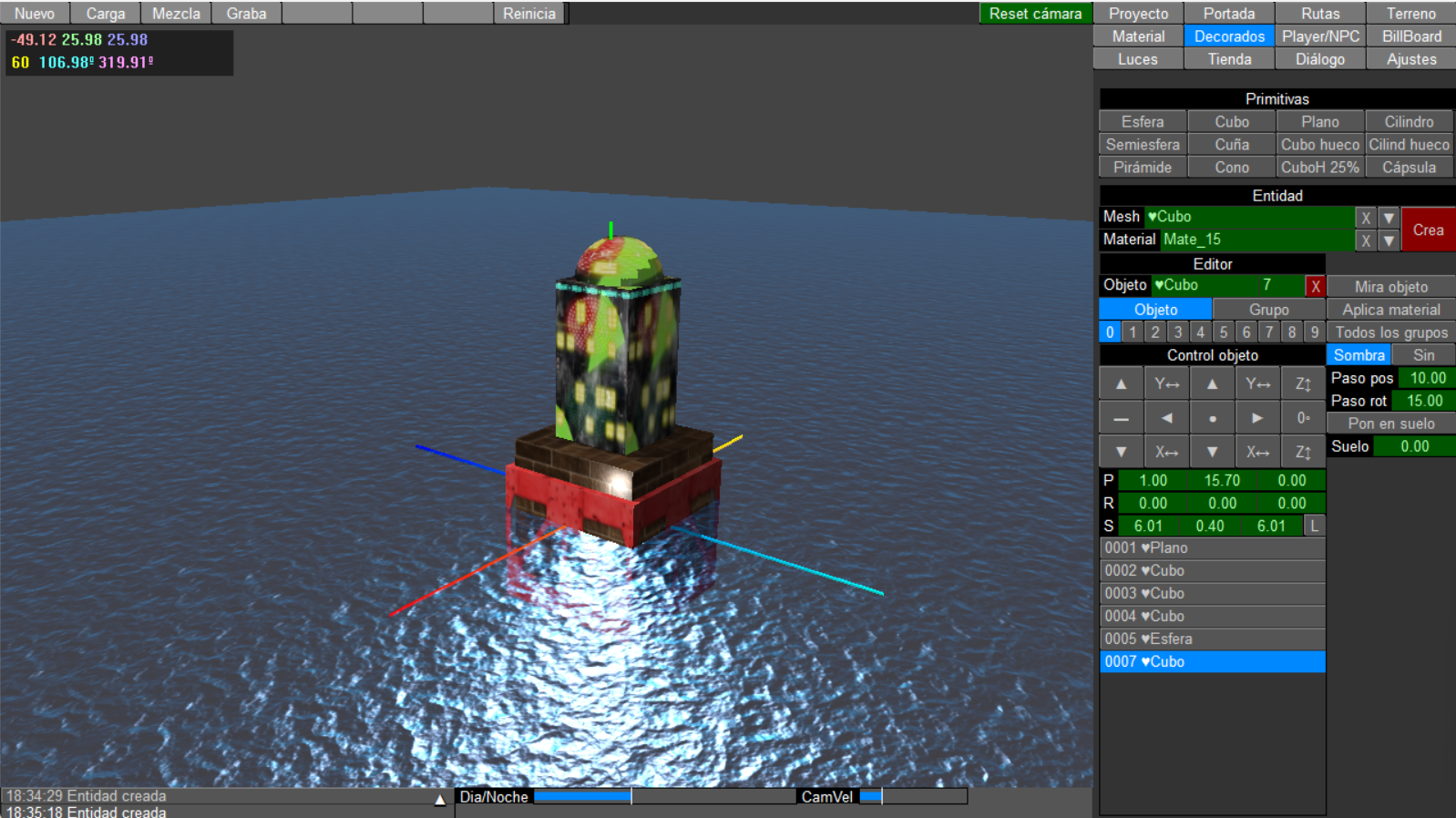
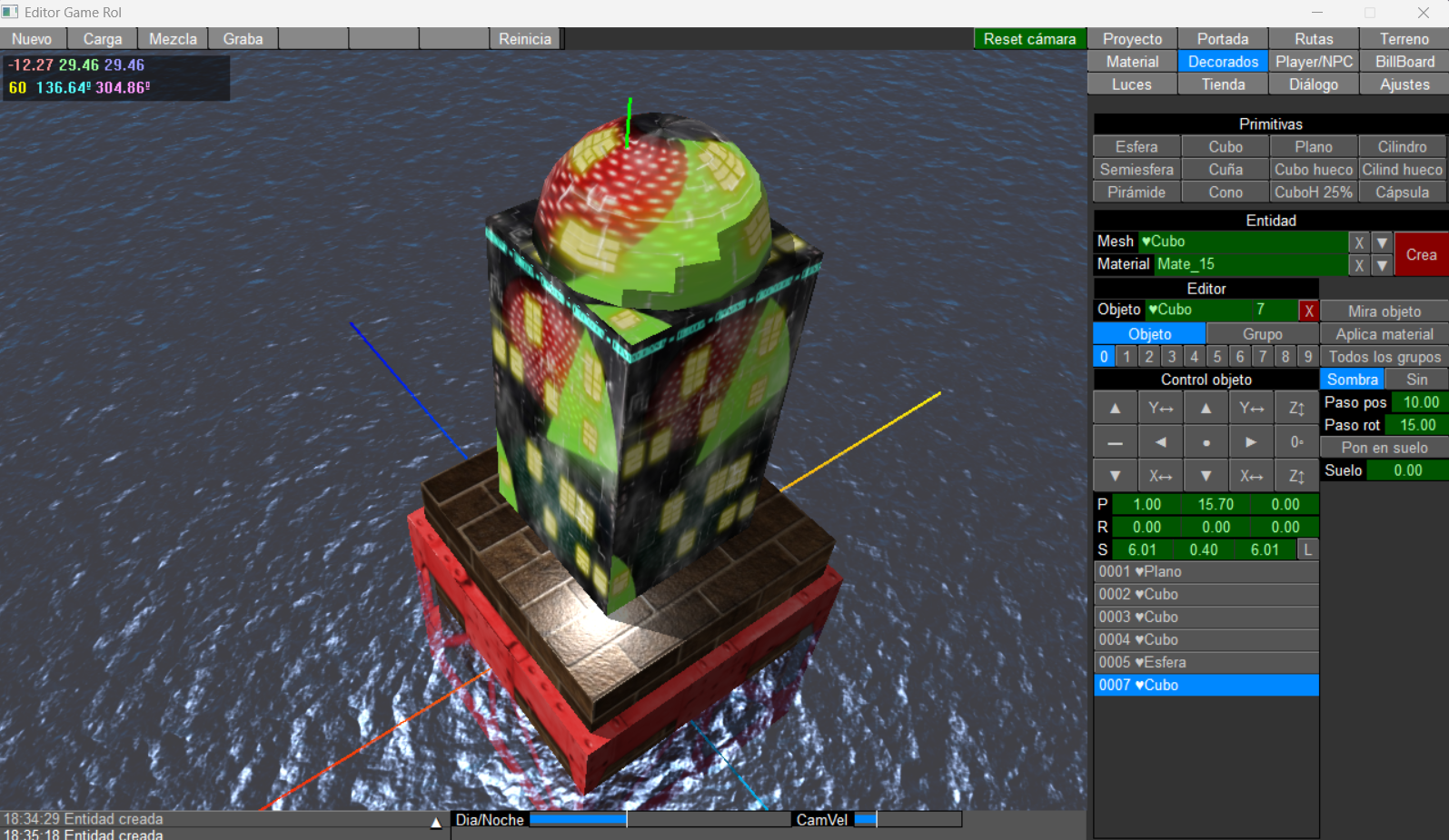
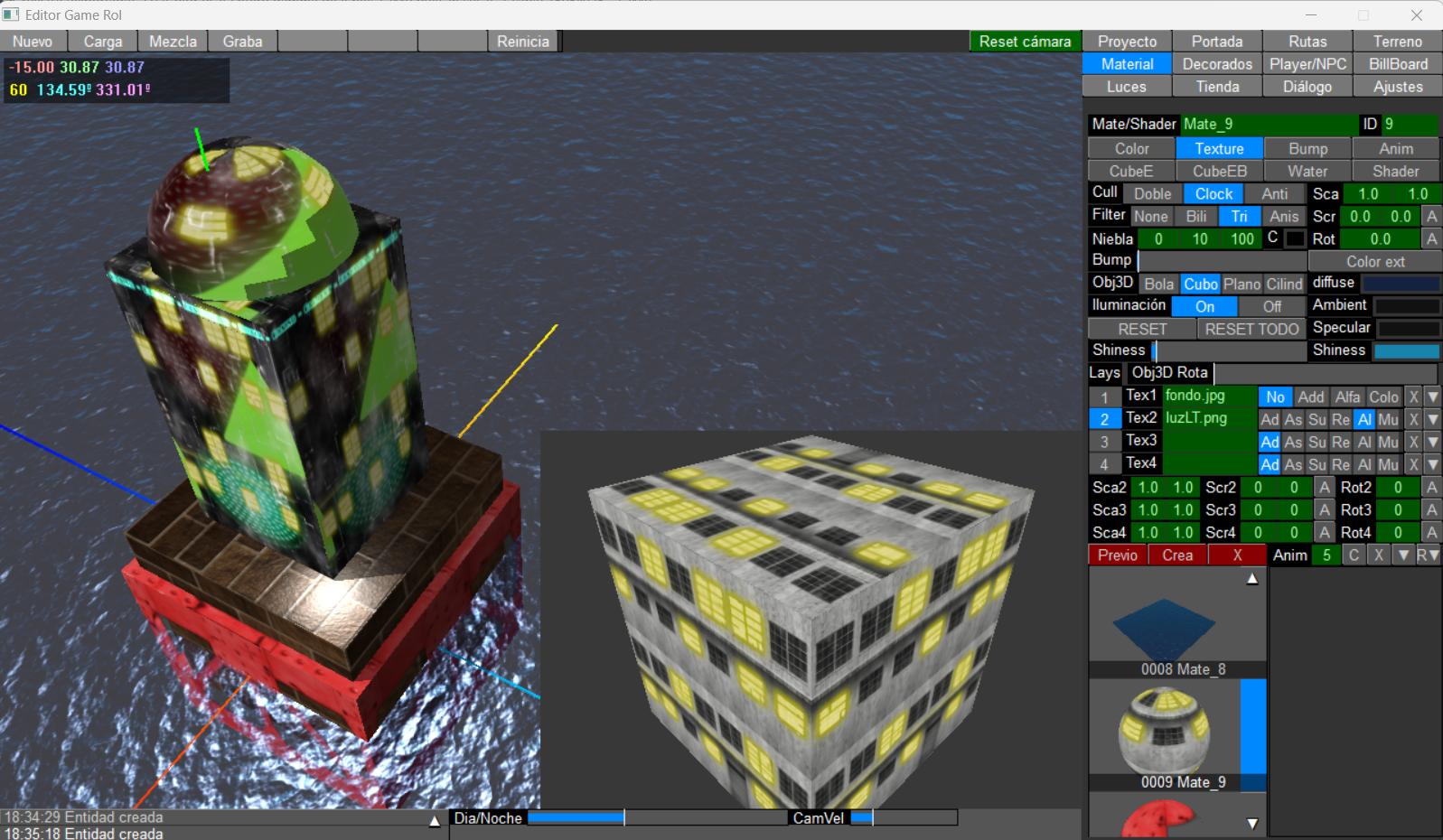
Material editor is the most hard part until now. Is crazy the combination of params you can do.
This is the material editor:
I got a new video:
https://youtu.be/IXFlnoXrHkU
UnrealPB engine... CryPB engine, PBUnity engine PBHavock engine? What sound better?
Einstein said that the difference between genius and stupidity is that genius knows its limits. I'll be stupid?
If translation=Error: reply="Sorry, Im Spanish": Endif
Re: Game test v0.01
If you could code in some fresnel changes in your materials, that would go a long way to getting PureBasic's 3D to look more modern. It's the building block to physically-based materials. I am not an expert at it, but it's something about keeping diffused and reflections balanced.. Conservation of energy. When we look at the sides of a material, it is more reflective than the part that faces us directly.
https://www.youtube.com/watch?v=7NjGETJMZvY
https://www.youtube.com/watch?v=7NjGETJMZvY
Re: Game test v0.01
This video goes into more technical details about PBR materials.
https://www.youtube.com/watch?v=XK_p2MxGBQs
https://www.youtube.com/watch?v=XK_p2MxGBQs
Re: Game test v0.01
Hello carm3D, yes will be nice to have PBR materials, but how you know OGRE have limitations, I think this is a theme for our 3D guru pf_shadoko. In new version with pf shadoko permiss i will include the new materials. I ask he before start.Carm3D wrote: Sun Oct 26, 2025 9:23 pm This video goes into more technical details about PBR materials.
https://www.youtube.com/watch?v=XK_p2MxGBQs
If translation=Error: reply="Sorry, Im Spanish": Endif
Re: Game test v0.01
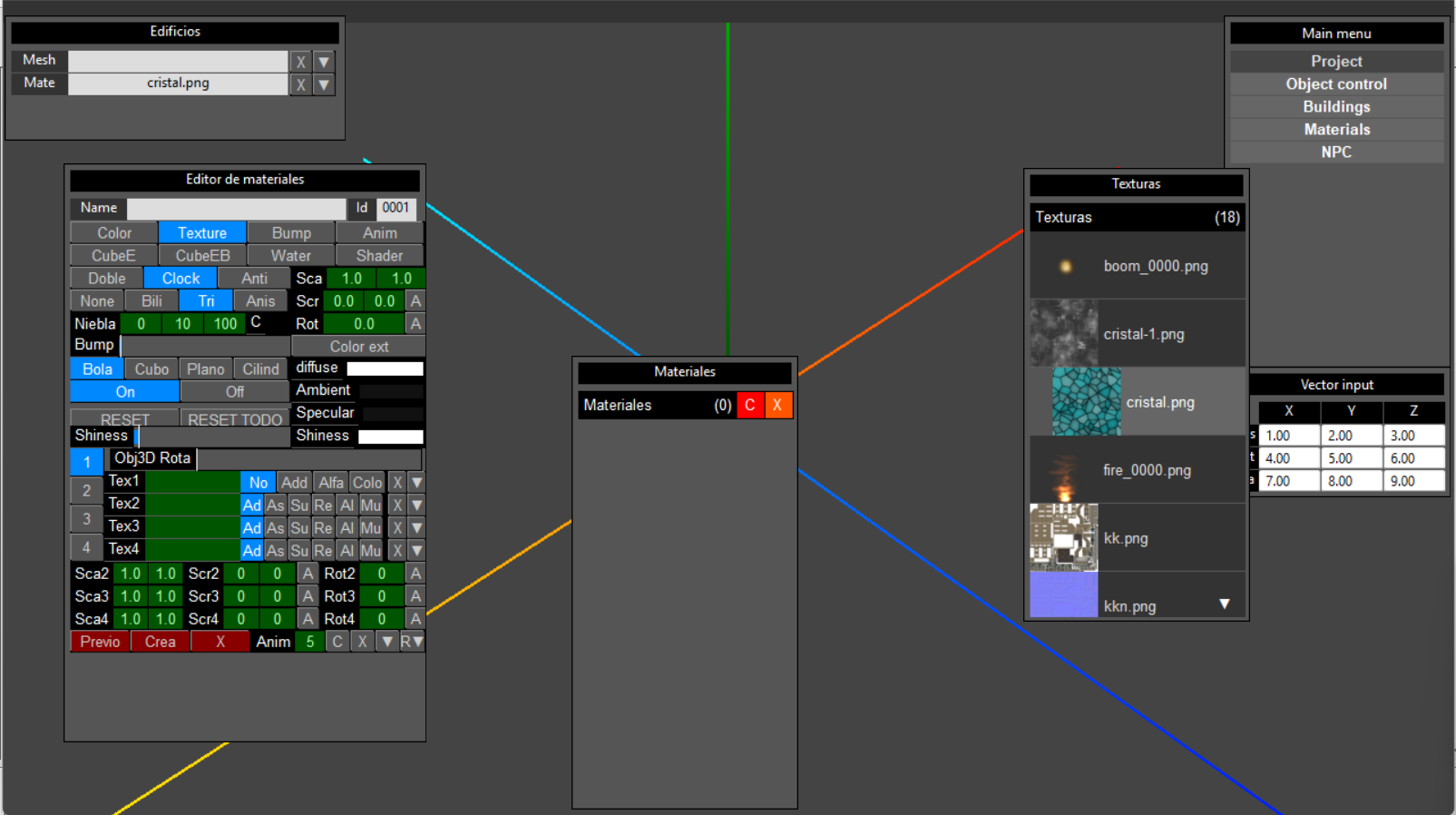
This is my new editor interface.
I wanted to have a clean 3D window where I can hide all the windows and panels. So I've started this new interface. I think it is more comfortable and intuitive.
and here a video:
https://youtu.be/wrt8I8mz8fE
There is still a long way to go.
I wanted to have a clean 3D window where I can hide all the windows and panels. So I've started this new interface. I think it is more comfortable and intuitive.
and here a video:
https://youtu.be/wrt8I8mz8fE
There is still a long way to go.
If translation=Error: reply="Sorry, Im Spanish": Endif
Re: Game test v0.01
I like it very much ...
this is professional work ...
for now, i'm to busy with my robots,
but in wintertime, i will spend some time for my cad/cam gui
marc
this is professional work ...
for now, i'm to busy with my robots,
but in wintertime, i will spend some time for my cad/cam gui
marc
- every professional was once an amateur - greetings from Pajottenland - Belgium -
PS: sorry for my english I speak flemish ...
PS: sorry for my english I speak flemish ...
Re: Game test v0.01
That's exciting! I look forward to seeing what happens with that!minimy wrote: Thu Oct 30, 2025 12:59 pmHello carm3D, yes will be nice to have PBR materials, but how you know OGRE have limitations, I think this is a theme for our 3D guru pf_shadoko. In new version with pf shadoko permiss i will include the new materials. I ask he before start.
Re: Game test v0.01
Hello PB addicts!
This is the progress in the UPB engine interface.
New Import/export window to load original objects direct. With preview (canvas) of the object in flat mode with rotation and zoom. (when load is goraud).
Now can import Obj wavefront objects direct with UV, normals and tangents to keep original params from the object.
I think will add STL and may be 3MF or others, FBX is a great challenge because the data include a lot of things like skeleton, animation... bla bla..
Im looking GLTF too and other formats.
New color palette give more fexibility to choose a color.
New gadgets control to improve user experience.
All the items of the menu are groupped at the top to keep clean the screen.
Note: All the code is maked by me and my small dog.
Screen capture and video:
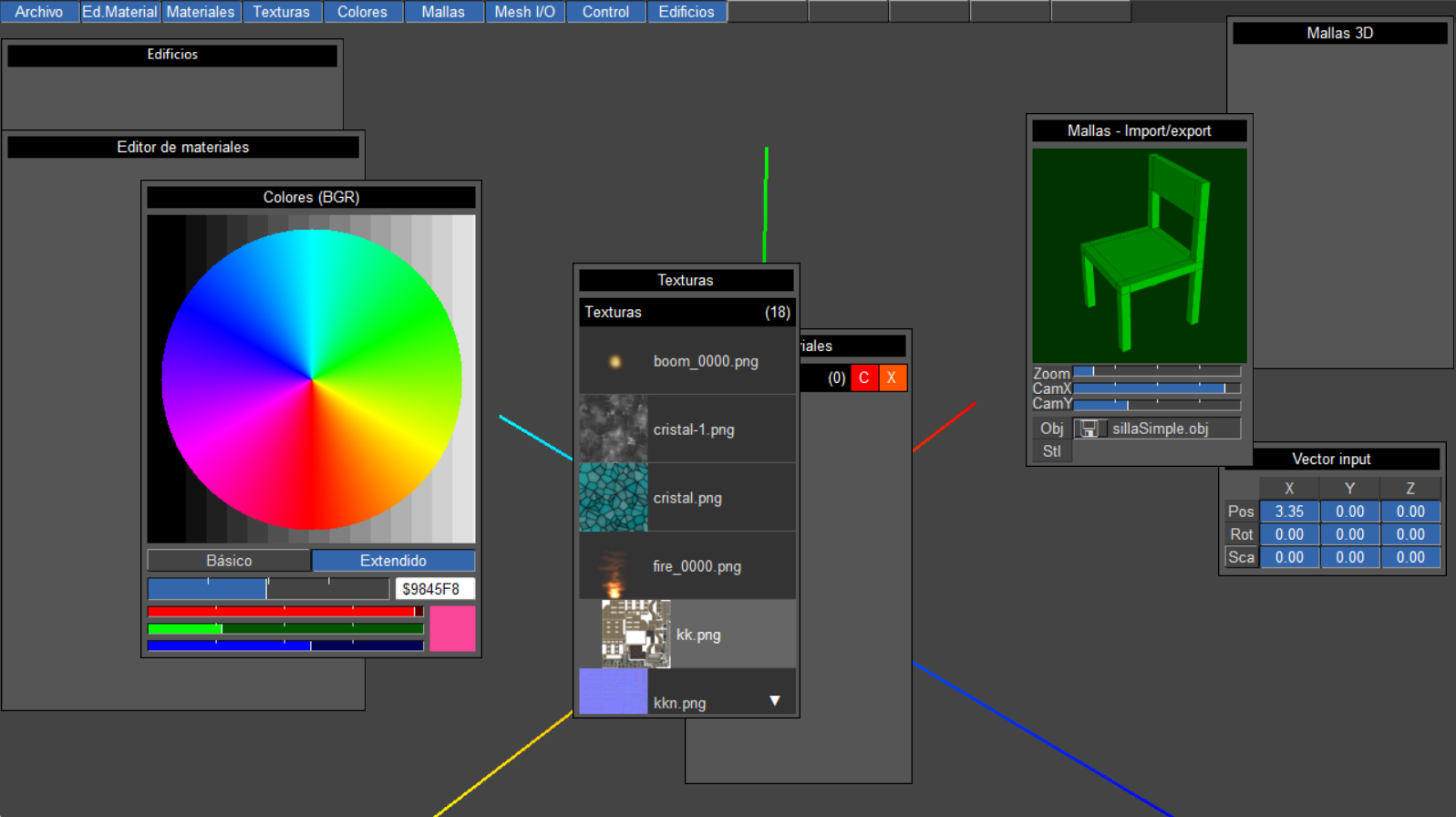
And here the video:
https://youtu.be/8At-aqgVslo
Soon more...
This is the progress in the UPB engine interface.
New Import/export window to load original objects direct. With preview (canvas) of the object in flat mode with rotation and zoom. (when load is goraud).
Now can import Obj wavefront objects direct with UV, normals and tangents to keep original params from the object.
I think will add STL and may be 3MF or others, FBX is a great challenge because the data include a lot of things like skeleton, animation... bla bla..
Im looking GLTF too and other formats.
New color palette give more fexibility to choose a color.
New gadgets control to improve user experience.
All the items of the menu are groupped at the top to keep clean the screen.
Note: All the code is maked by me and my small dog.
Screen capture and video:
And here the video:
https://youtu.be/8At-aqgVslo
Soon more...
If translation=Error: reply="Sorry, Im Spanish": Endif
Re: Game test v0.01
Include new window with material editor v0.1c. (native PB materials), small bugs will fixed.
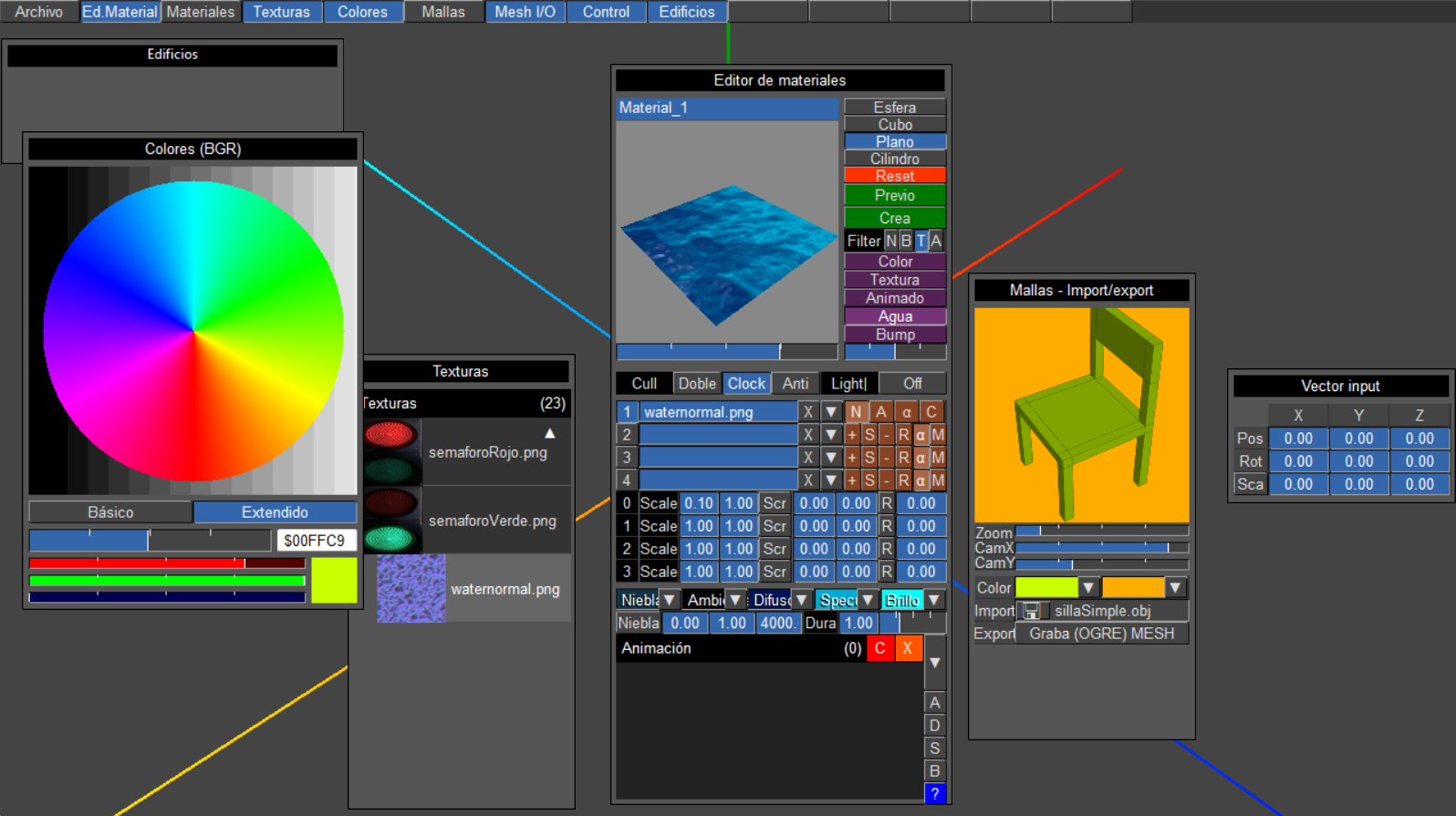
Video:
https://youtu.be/uot_mcRBixA
Video:
https://youtu.be/uot_mcRBixA
If translation=Error: reply="Sorry, Im Spanish": Endif
Re: Game test v0.01
BONUS!! about all this work in case any of you are curious.
How you have 2 ScreenWindow at time?
If anyone is wondering how I can have the materials and the scene in the same program using 2 ScreenWindow, the trick is that they are two programs that communicate, this way you can have all the 3D windows you want. I know, it's silly but in practice it works.
How do you load OBJ?
The OBJ used are ASCII so its easy to obtain the data of vertices and faces, then I use an algorithm (in the forum was posted viewtopic.php?p=642075#p642075) to obtain the normal ones and finally I apply a BuildMeshTangents to it. The trick is to calculate the normals of each vertex well in relation to the neighboring ones so that the FLAT type shading does not remain.
How do you have a preview screen of the object?
Is drawing in a canvas, Once you have all the vertex data, you only need to draw them using isometric depth (search in internet and you will found a thousand of examples) and how not, order the faces by depth, you get calculating distance between the virtual position of the camera and every face (vertex in the face).
I hope this can help any of you.
How you have 2 ScreenWindow at time?
If anyone is wondering how I can have the materials and the scene in the same program using 2 ScreenWindow, the trick is that they are two programs that communicate, this way you can have all the 3D windows you want. I know, it's silly but in practice it works.
How do you load OBJ?
The OBJ used are ASCII so its easy to obtain the data of vertices and faces, then I use an algorithm (in the forum was posted viewtopic.php?p=642075#p642075) to obtain the normal ones and finally I apply a BuildMeshTangents to it. The trick is to calculate the normals of each vertex well in relation to the neighboring ones so that the FLAT type shading does not remain.
How do you have a preview screen of the object?
Is drawing in a canvas, Once you have all the vertex data, you only need to draw them using isometric depth (search in internet and you will found a thousand of examples) and how not, order the faces by depth, you get calculating distance between the virtual position of the camera and every face (vertex in the face).
I hope this can help any of you.
If translation=Error: reply="Sorry, Im Spanish": Endif


Re: Game test v0.01
That's looking really good, I wouldn't even know where to start on that.
What are you using for IPC?
If it's not cross platform and you want it to be I'd suggest switching to using network so you could use sendnetworkstring, keeps it native PB.
Are you sure it's just you and your dog? Clever dog
Really good work.
What are you using for IPC?
If it's not cross platform and you want it to be I'd suggest switching to using network so you could use sendnetworkstring, keeps it native PB.
Are you sure it's just you and your dog? Clever dog
Really good work.
Re: Game test v0.01
So each of those little 3D model preview display screens was a separate program??? You absolute mad-man!minimy wrote: Tue Nov 04, 2025 9:38 pmthe trick is that they are two programs that communicate, this way you can have all the 3D windows you want.
Re: Game test v0.01
Hello idle, thank you very much. Start the project using names pipes, but change to network, you´re right. Yes my dog is very clever.idle wrote: Wed Nov 05, 2025 12:28 am That's looking really good, I wouldn't even know where to start on that.
What are you using for IPC?
If it's not cross platform and you want it to be I'd suggest switching to using network so you could use sendnetworkstring, keeps it native PB.
Are you sure it's just you and your dog? Clever dog
Really good work.
This is a real photo (postapocaliptic filters, weather here is better) me and my dog
She rides the motorcycle with me, she loves it. They could hire me for the next Mad Max 
Nooo, only 2, no need more, 1 for main window and all the other small windows, 1 for material editor, only because cant have 2 screenwindow. Yhe other 3D window is 2D with perspective in a canvas. Yes im absolute mad-man! but happy!
If translation=Error: reply="Sorry, Im Spanish": Endif