Page 11 of 17
Re: Game test v0.01
Posted: Sat Dec 27, 2025 8:36 pm
by minimy
Thanks guys!
@Idle. Yes weed, sorry grass always help to see all diferent

@Threeslider. Non stop!!

The goal is can create a complete level easy. The levels/stages must be load fast (no like starfield
) to change locations quickly.
The quality at the end, must be mediun because im alone for all, code, graphics, music, sounds, animations, story, 2D art, movies, etc.
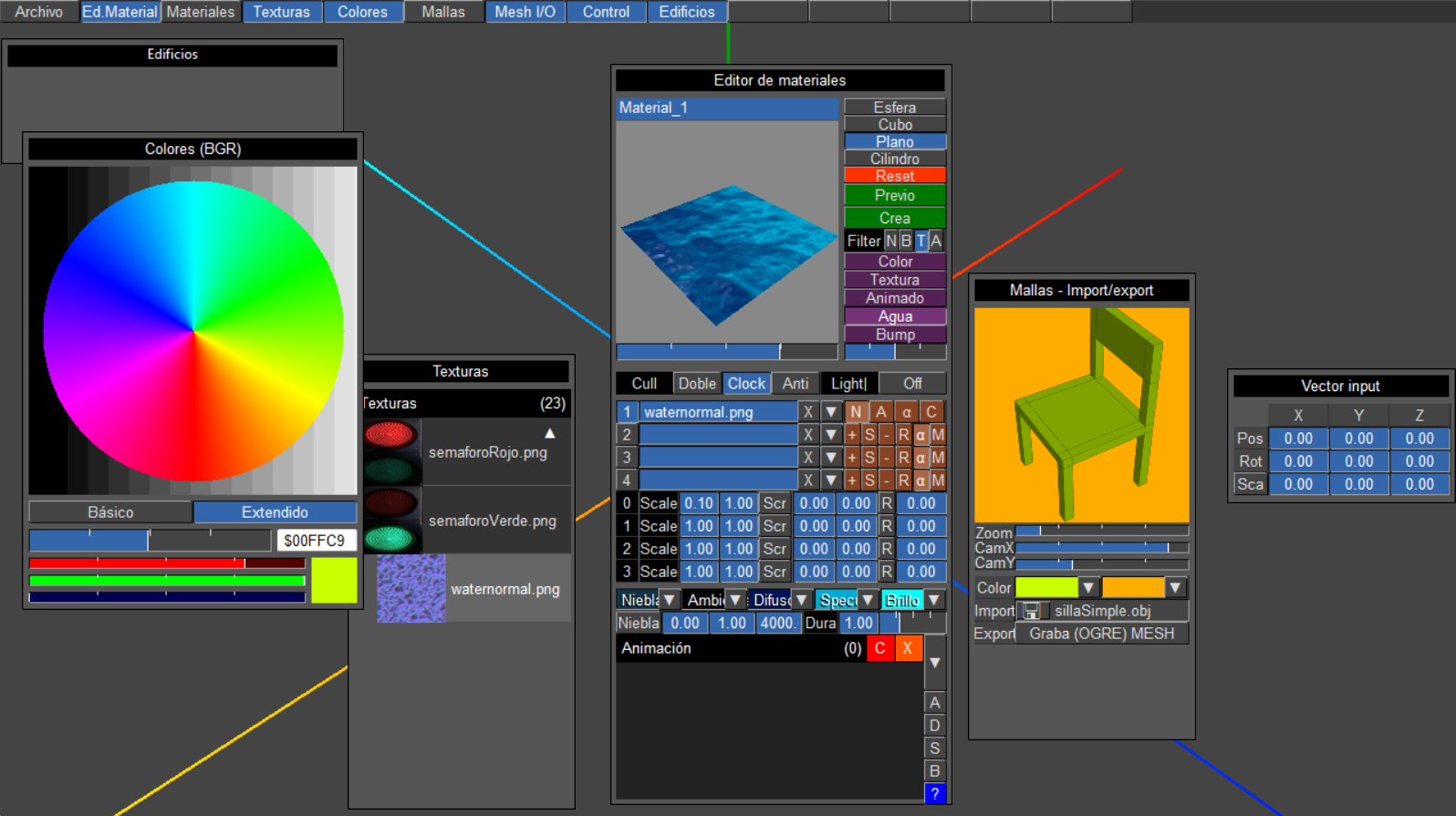
At the end no need material editor, because i go to use my 'Draw vector texture' (is in the forum) to make textures and normalmaps on the fly, i like the result, and is all in memory no files extras. One advantage is what every new game have diferent textures and look a litle diferent.
With the meshes is the same except for the player and any npc´s with animation. (I need work more with new skeleton functions).
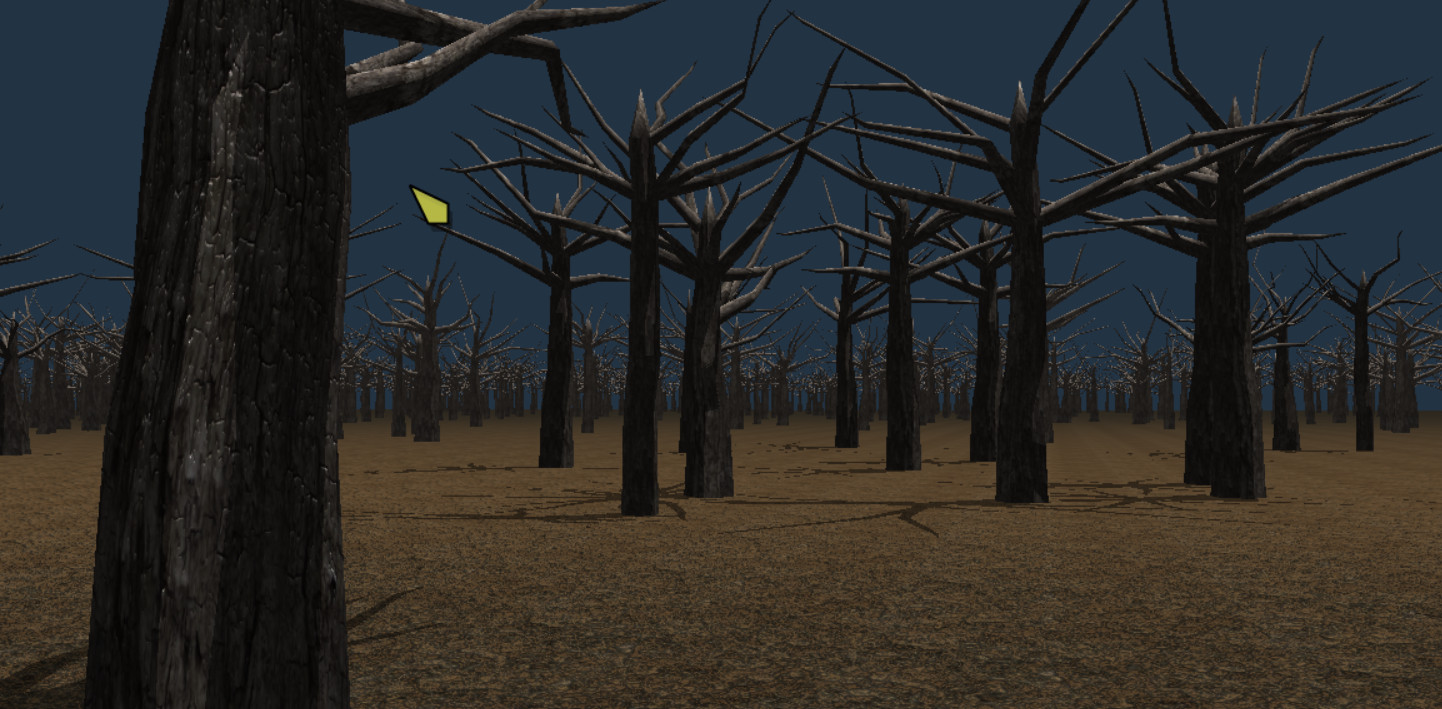
Now im trying to make dynamic trees on the fly too, to fill a litle the landscape.
Re: Game test v0.01
Posted: Sun Dec 28, 2025 4:11 am
by Carm3D
minimy wrote: Sat Dec 27, 2025 8:36 pmNow im trying to make dynamic trees on the fly too, to fill a litle the landscape.
Don't forget to make the trees collision objects.
Re: Game test v0.01
Posted: Sun Dec 28, 2025 11:05 pm
by minimy
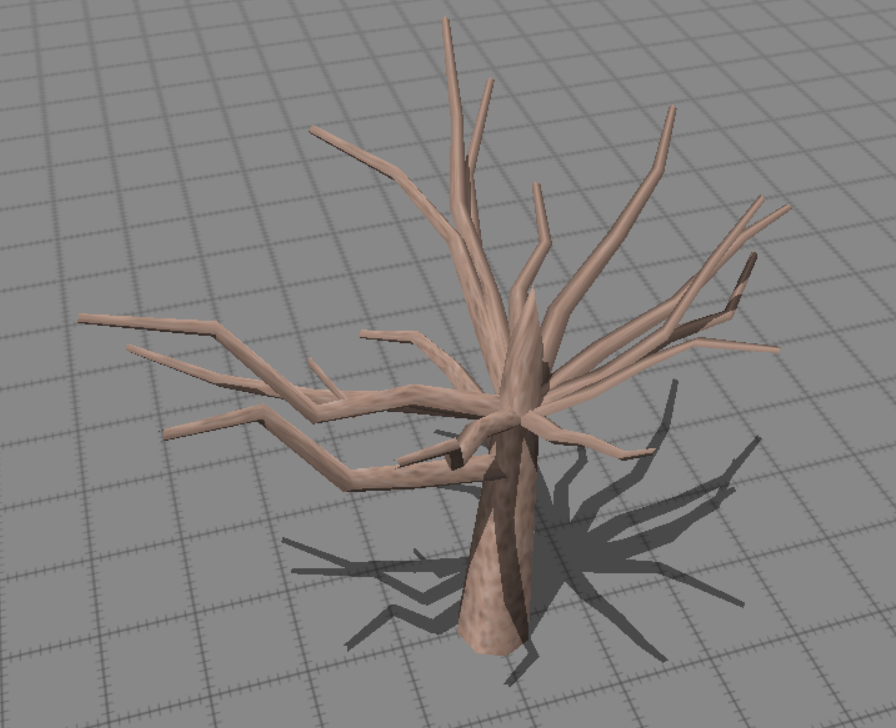
My first dynamic tree, need a little of water
Re: Game test v0.01
Posted: Mon Dec 29, 2025 2:19 am
by minimy
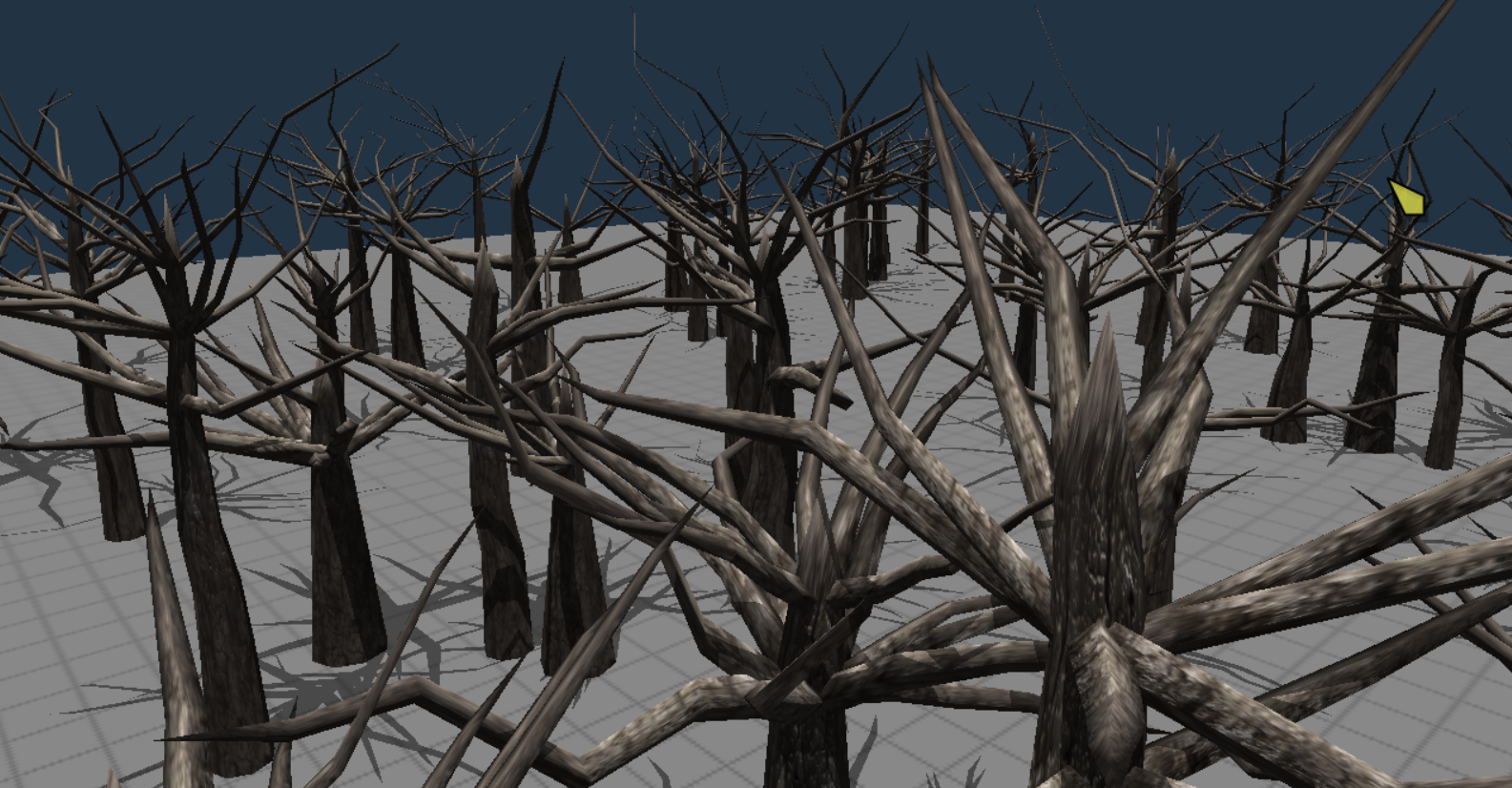
And here forest of darkness, only some witches and a couple of potions are missing LOL
The next is to put sheets for other not so dramatic scenarios.
Re: Game test v0.01
Posted: Mon Dec 29, 2025 4:13 am
by Carm3D
Great so far. If you could cap the top of the trunk with a trunk that narrows into a branch... Or maybe forks into two branches.. I think that would look pretty natural.
Re: Game test v0.01
Posted: Mon Dec 29, 2025 4:17 am
by Carm3D
https://imgur.com/vkXUHDl
I think the tree would look more natural if the branches spawned at staggered positions along the length of the trunk, instead of all at a single position.
Re: Game test v0.01
Posted: Mon Dec 29, 2025 1:22 pm
by minimy
Re: Game test v0.01
Posted: Mon Dec 29, 2025 7:26 pm
by skinkairewalker
The only problem I've been facing with PureBasic is that you can't choose which GPU to use, and Windows doesn't select my high-performance graphics card on laptops, only on desktop PCs... which causes my game to have low FPS with many 3D models in the world.
Re: Game test v0.01
Posted: Mon Dec 29, 2025 11:03 pm
by Carm3D
skinkairewalker wrote: Mon Dec 29, 2025 7:26 pmThe only problem I've been facing with PureBasic is that you can't choose which GPU to use, and Windows doesn't select my high-performance graphics card on laptops, only on desktop PCs... which causes my game to have low FPS with many 3D models in the world.
Try running in Borderless window mode. I think that will fix it.
Re: Game test v0.01
Posted: Tue Dec 30, 2025 7:00 am
by skinkairewalker
How is it possible to do this in Ogre? Create a camera_view inside a sprite? What is the rendering order? Can someone explain and provide a working example? I’ve been trying to do this for quite some time…
Re: Game test v0.01
Posted: Tue Dec 30, 2025 7:01 am
by skinkairewalker
Carm3D wrote: Mon Dec 29, 2025 11:03 pm
skinkairewalker wrote: Mon Dec 29, 2025 7:26 pmThe only problem I've been facing with PureBasic is that you can't choose which GPU to use, and Windows doesn't select my high-performance graphics card on laptops, only on desktop PCs... which causes my game to have low FPS with many 3D models in the world.
Try running in Borderless window mode. I think that will fix it.
I”ll try thanks by help

Re: Game test v0.01
Posted: Wed Dec 31, 2025 1:42 pm
by minimy
skinkairewalker wrote: Tue Dec 30, 2025 7:00 am
How is it possible to do this in Ogre? Create a camera_view inside a sprite? What is the rendering order? Can someone explain and provide a working example? I’ve been trying to do this for quite some time…
Hi skinkairewalker. To win speed you can use:
Code: Select all
OpenWindowedScreen(WindowID(0),0,0,1280,720, 0,0,0,#PB_Screen_NoSynchronization)
Then need sync mannually.
But the real problem may be if you´re using a lot of vertex in your models, At the begin i use models with a lot of vertex, and all run very slow, optimization should be the solution.
In the example of the forest every tree have betwen 300 and 400 vertex, limit shadow distance, and other tricks to win speed. And then run with good speed.
The main loop may be another cause. Optimize it.
About screens over screens, My solution was use 2 programas using pipeline or server to communicate. I said it in this post.
At the end you need find the balance between quality and speed.
I hope this can help you a little.
Re: Game test v0.01
Posted: Wed Dec 31, 2025 2:04 pm
by minimy
I goin crazy with dialogues for the game. My solution was create this dialogue editor for all npc´s in the game.
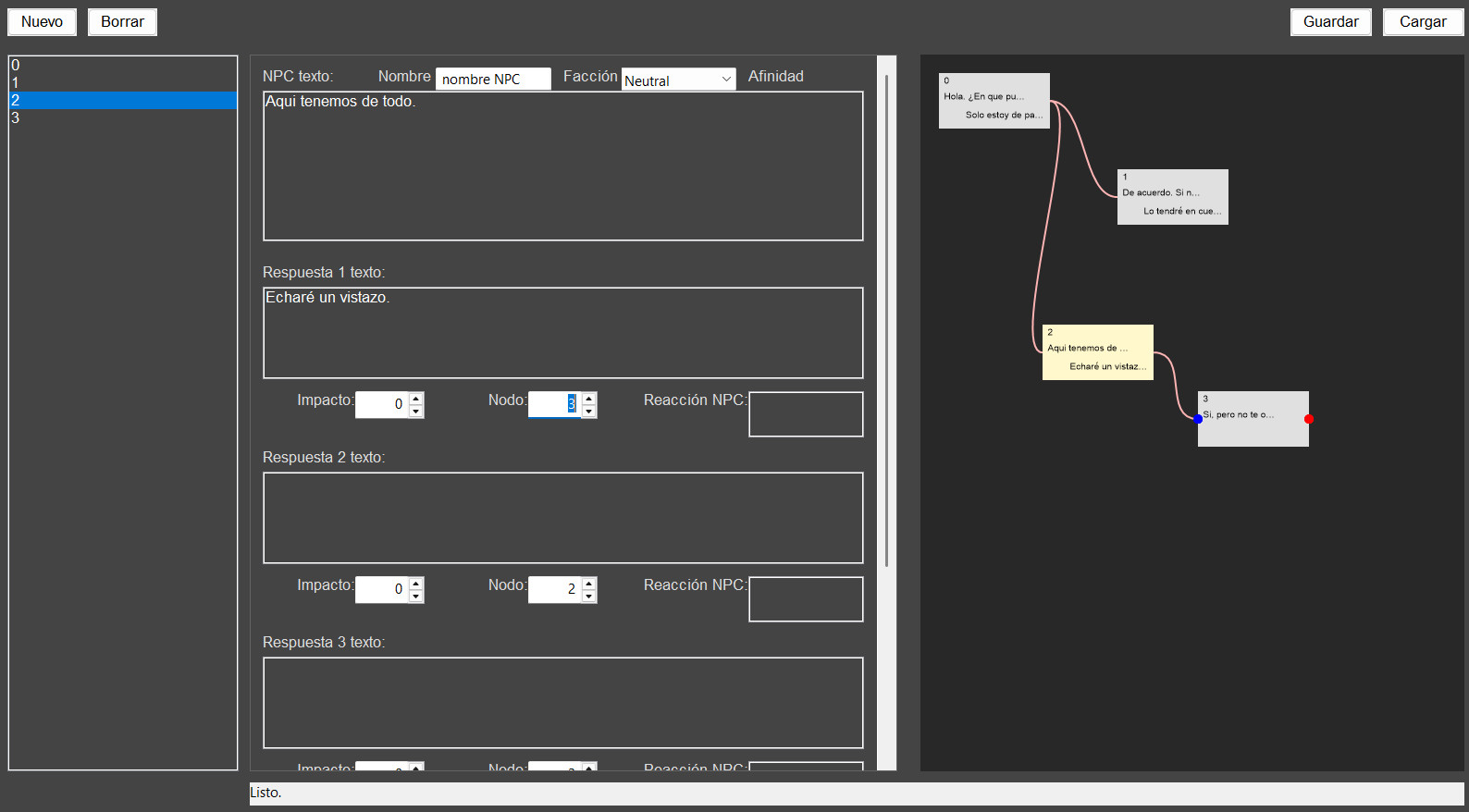
In the dialogue engine i got now:
Infinite number of npc´s. Only load data if talk with the npc.
Npc have affinity with other npc´s,
Npc have affinity with factions.
Npc have emotional states.
Dialogue options to solve affinity problems, or not.
Infinite number of nodes for conversation.
Reaction for every dialogue and npc.
Big number of factions.
Very fast to use.
Easy creation of complex dialogues.
This is a draft of the result.

This is the 'draft' system to format text with colors, fonts, images and moore, to use with the dialogues and other texts. Include visual FX like CRT and others.
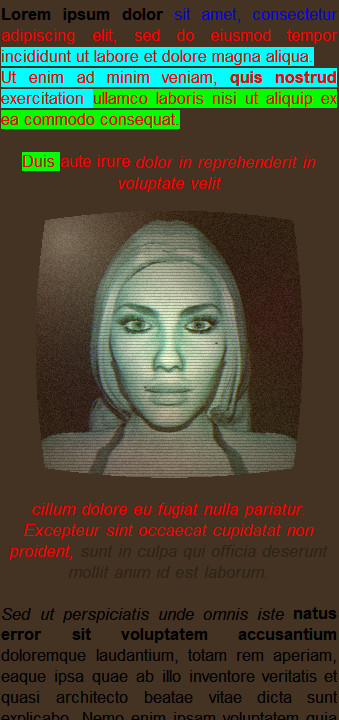
Every thing is an independent module.
Re: Game test v0.01
Posted: Wed Dec 31, 2025 2:55 pm
by Carm3D
minimy wrote: Wed Dec 31, 2025 2:04 pm
I goin crazy with dialogues for the game. My solution was create this dialogue editor for all npc´s in the game.
What's crazy is how fast you are able to slap all of this together. ¡Muy impresionante!
Re: Game test v0.01
Posted: Sat Jan 03, 2026 1:10 pm
by minimy
Dialogue editor v1.0 with npc nodes, reaction, faction, etc...
Create an script forn any npc of the game.
Result very, very complex dialogues.