Page 1 of 1
form designer not there?
Posted: Sun Feb 16, 2025 1:54 am
by Randy Walker
I just installed PB v6.20 and was checking it out for the first time.
I clicked [Tools] >[Form Designer] and nothing happened.
Is that normal?
Am I missing something?
I'm on fully updated Windows 11 Pro 23H2
Re: form designer not there?
Posted: Sun Feb 16, 2025 4:46 am
by Rinzwind
Right, menu and shortcut won't open, as won't creating a new .pbf file
Workaround: open/reopen an already existing .pbf file.
Re: form designer not there?
Posted: Sun Feb 16, 2025 7:13 am
by Randy Walker
Rinzwind wrote: Sun Feb 16, 2025 4:46 am
Right, menu and shortcut won't open, as won't creating a new .pbf file
Workaround: open/reopen an already existing .pbf file.
Any idea where I find one of those?
Re: form designer not there?
Posted: Sun Feb 16, 2025 8:51 am
by Marc56us
Randy Walker wrote: Sun Feb 16, 2025 1:54 am
I just installed PB v6.20 and was checking it out for the first time.
I clicked [Tools] >[Form Designer] and nothing happened.
This is normal,
Tools > Form Designer is used to activate/show
tab 'Form' (in the ToolsPanel)
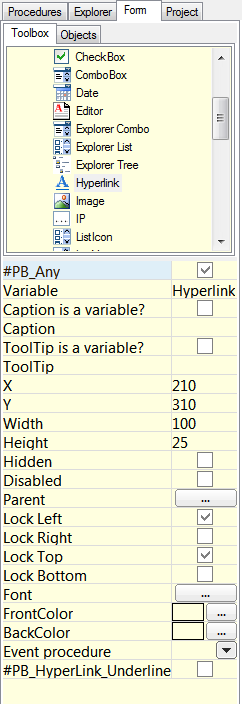
To
create new form do:
Form > New Form
Details 
Re: form designer not there?
Posted: Sun Feb 16, 2025 8:21 pm
by Randy Walker
Marc56us wrote: Sun Feb 16, 2025 8:51 am
Randy Walker wrote: Sun Feb 16, 2025 1:54 am
I just installed PB v6.20 and was checking it out for the first time.
I clicked [Tools] >[Form Designer] and nothing happened.
This is normal,
Tools > Form Designer is used to activate/show
tab 'Form' (in the ToolsPanel)
Thanks Marc56us That clarifies it all perfectly. I've always had the frame on the right squeezed closed so my code has more real estate and that form tab was just never visible.