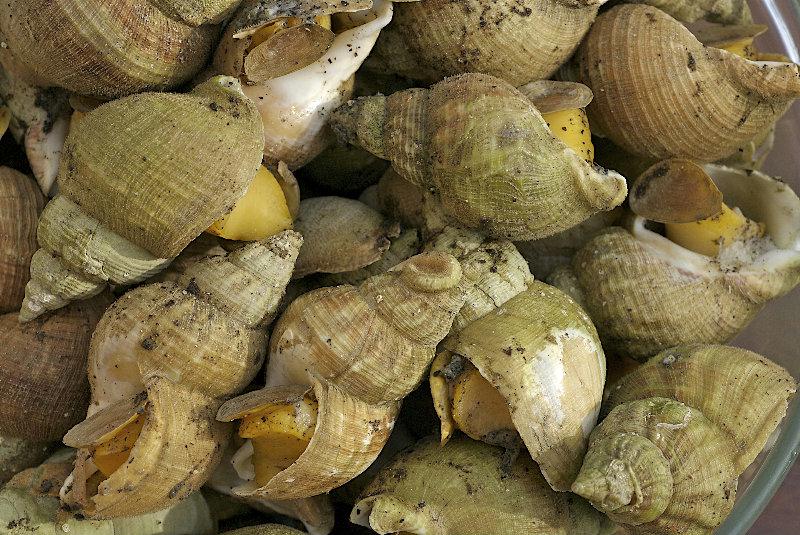
seaShells spirals
Posted: Mon Jul 11, 2016 3:16 pm
just find these Parametric Equations for Seashell
http://xahlee.info/SpecialPlaneCurves_d ... mulas.html
i choose the first one , the simplest
change one or more of its parameters (R,N,H,P) to get more variations
to go inside the shell uncomment lines 127, 128 , and comment line 125 to follow the ball falling inside the shell
note: if you want to experiment too much disable the #seaShell entity body in line 78 so not to get errors

more info about the spirals: (i prefer the djvu version since it is speedier for the slow computers)
curves of life: Published 1914
https://archive.org/details/cu31924028937179
Spirals in nature and art 1903
https://archive.org/details/spiralsinnaturea00cook
http://xahlee.info/SpecialPlaneCurves_d ... mulas.html
i choose the first one , the simplest
change one or more of its parameters (R,N,H,P) to get more variations
to go inside the shell uncomment lines 127, 128 , and comment line 125 to follow the ball falling inside the shell
note: if you want to experiment too much disable the #seaShell entity body in line 78 so not to get errors
Code: Select all
Enumeration
  #Window
  #Camera
  #seaShell
  #ball

EndEnumeration

#CameraSpeed = 0.2

Declare FillArray()
Global.f txu, txv

Define.f KeyX, KeyY, MouseX, MouseY

If InitEngine3D()

  Add3DArchive(".", #PB_3DArchive_FileSystem)
  Add3DArchive(#PB_Compiler_Home + "examples/3D/Data/Textures", #PB_3DArchive_FileSystem)

  InitSprite()
  InitKeyboard()
  InitMouse()

ExamineDesktops()
DesktopW = DesktopWidth(0)
DesktopH = DesktopHeight(0)

If OpenWindow(#Window, 0, 0, DesktopW, DesktopH, " 'W': wire/solid frame......mouse+arrow keys For the camera ")
  If OpenWindowedScreen(WindowID(#Window), 0, 0, DesktopW, DesktopH, 0, 0, 0)

    CreateCamera(#Camera, 0, 0, 100, 100)
    MoveCamera(#Camera, 3, 0, 10, #PB_Absolute)
    CameraLookAt(#Camera,0,0,0)
    CameraBackColor(#Camera, RGB(254,236,186))

    CreateMaterial(1, LoadTexture(1, "Geebee2.bmp"))
    MaterialCullingMode(1, #PB_Material_NoCulling)

    LoadTexture(2, "Wood.jpg")
    CreateMaterial(2, TextureID(2))
    MaterialCullingMode(2, #PB_Material_NoCulling)
    CreateMaterial(8, LoadTexture(8, "soil_wall.jpg"))
    MaterialCullingMode(8, #PB_Material_NoCulling)

    LoadTexture(9, "grass2.png")
    CreateMaterial(3, LoadTexture(3, "MRAMOR6X6.jpg"))
    MaterialCullingMode(3, #PB_Material_NoCulling)
    AddMaterialLayer(3, TextureID(8) , #PB_Material_Modulate)
    AddMaterialLayer(3, TextureID(9) , #PB_Material_Modulate)

    CreateLight(0, RGB(255, 255, 255), 100, 100, 100)
    AmbientColor(RGB(250, 250, 250))

  EndIf
EndIf

 ;*******************************************

wireFrame = 1

WorldGravity(-1) ; the gravity here is 1/10 of the normal

;WorldDebug( #PB_World_DebugEntity)
;WorldDebug(#PB_World_DebugBody)

CreateSphere(#ball,2.5)
CreateEntity(#ball,MeshID(#ball),MaterialID(1) )
ScaleEntity(#ball, 0.05,0.05,0.05)
MoveEntity(#ball, 1.3,2.5,0.6)
CreateEntityBody(#ball, #PB_Entity_SphereBody   ,1,0.01,2)

FillArray()  ; call the seaShell mesh building proc
RotateEntity(#seaShell, 90,180,0, #PB_Relative)
MoveEntity(#seaShell, 0, -3, 0)
;glLineWidth_(2)
CreateEntityBody(#seaShell, #PB_Entity_StaticBody  ,0.1)


Repeat
  Repeat
  Until WindowEvent()=0

      If ExamineMouse()
        MouseX = -MouseDeltaX()/20
        MouseY = -MouseDeltaY()/20
      EndIf

      If ExamineKeyboard()

        If KeyboardPushed(#PB_Key_Left)
          KeyX = -#CameraSpeed
        ElseIf KeyboardPushed(#PB_Key_Right)
          KeyX = #CameraSpeed
        Else
          KeyX = 0
        EndIf

        If KeyboardPushed(#PB_Key_Up)
          KeyY = -#CameraSpeed
        ElseIf KeyboardPushed(#PB_Key_Down)
          KeyY = #CameraSpeed
        Else
          KeyY = 0
        EndIf

        If KeyboardReleased(#PB_Key_W)
          If wireFrame
            MaterialShadingMode(3, #PB_Material_Wireframe)
          wireFrame ! 1
        Else
            MaterialShadingMode(3, #PB_Material_Solid)
          wireFrame ! 1
        EndIf
        EndIf

      EndIf

      DisableEntityBody(#ball, #False)

      RotateCamera(#Camera, MouseY, MouseX, 0, #PB_Relative)
      MoveCamera(#Camera, KeyX, 0, KeyY)

      RotateEntity(#seaShell, 0,0,0.3, #PB_Relative)
      ;CameraFollow(#Camera, ObjectID, Angle, Height, Distance, RotationPercent, PositionPercent [, Mode])
  ;CameraFixedYawAxis(#Camera, 1 )
  ;CameraFollow(#Camera, EntityID(#ball) , 40, EntityY(#ball)+0.4 ,0.8, 1, 0.02, #True  )

      RenderWorld()

      FlipBuffers()
    Until KeyboardPushed(#PB_Key_Escape) Or Quit = 1

Else
  MessageRequester("Error", "The 3D Engine can't be initialized",0)
EndIf

End
Macro Vertex(u, v, txu, txv)

R.f=1;    // radius of tube
N.f=4.6;  // number of turns
H =6;    // height
P.f=2;    // power

W.f = R*u/(2*#PI);*R
x.f = W*Cos(N*u)*(1+Cos(v))
y.f = W*Sin(N*u)*(1+Cos(v))
z.f = W*Sin(v) + H*Pow((u/(2*#PI)),P)

; this produce torus shape: uncomment lines up to line 161
;R.f = 3: R2.f = 2
;x.f = R*Cos(u)*(R2+Cos(v))
;y.f = R*Sin(u)*(R2+Cos(v))
;z.f = R*Sin(v)
;MoveCamera(#Camera, 3, 10, 20, #PB_Absolute)
;CameraLookAt(#Camera,0,-5,0)

MeshVertexPosition(x, y, z )
MeshVertexNormal(0,1,0)
MeshVertexTextureCoordinate(txu, txv)


EndMacro


Procedure FillArray()
  CreateMesh(#seaShell, #PB_Mesh_TriangleList, #PB_Mesh_Static)

  Nb = 100
  Protected.f u, v, Delta.f = 4*#PI/Nb ; change 4 to 2 to get more dense mesh
  Protected.f x, y, z
  txu.f : txv.f
  ;Debug delta
  u = 0
  v = 0
  While v <= 2 * #PI

    While u <= 2 * #PI

      Vertex(u, v, txu, txv)
      txu = txu + 1/10 ; for texturing
      orb+1
      u + Delta

    Wend

    orbit = orb: orb=0

    txu = 0
    txv = txv + 1/50 ; for texturing

    u = 0
    v + Delta
  Wend

  For b=0 To orbit-2 ; change orbit-2  to 0 or more to get less lines of the spiral
    For a=0 To orbit-2
      P1=a+(b*orbit)
      P2=P1+1
      P3=a+(b+1)*orbit
      P4=P3+1

      MeshFace(P3, P2, P1)
      MeshFace(P2, P3, P4)
    Next
  Next

  ; connecting the last line with the first line
  b = orbit * orbit-orbit-1
   For a=0 To orbit-2
      P1=a
      P2=P1+1
      P3=a+(b+1)
      P4=P3+1

      MeshFace(P1, P4, P3)
      MeshFace(P1, P2, P4)
   Next

  FinishMesh(#True)
  UpdateMeshBoundingBox(#seaShell)
  SetMeshMaterial(#seaShell, MaterialID(3))

  CreateEntity(#seaShell, MeshID(#seaShell), #PB_Material_None)

EndProcedure
more info about the spirals: (i prefer the djvu version since it is speedier for the slow computers)
curves of life: Published 1914
https://archive.org/details/cu31924028937179
Spirals in nature and art 1903
https://archive.org/details/spiralsinnaturea00cook