Another one for the mathematicians...
Posted: Mon Sep 13, 2010 7:19 am
I’m pretty bad at maths. I need to know a general “thing”. The answer may be pathetically obvious but please be gentle!
Is it possible to come up with an equation for the trend formed by a number of non-repeating, possibly random points?
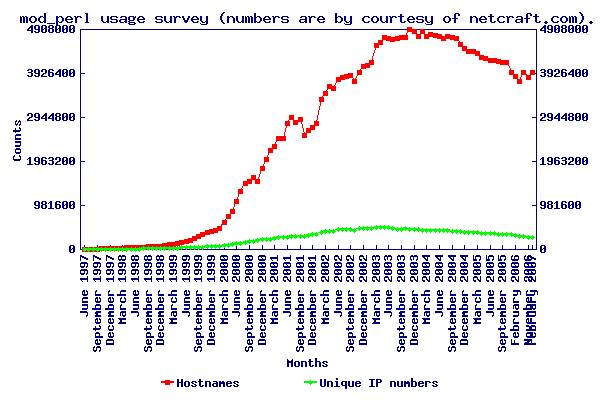
For example, could there be an equation to describe a trend like this:

In my mathematical ignorance, I doubt there is such an equation.
The goal is this: from a number of known levels, derive a generic "tendency". I want to be able to play around with different lifestyle factors, to see how they influence a person's (likely) behaviour - specifically, how likely they are to own a car.
Obviously having the money available will make it more likely that they'll get a car. And age will be involved, etc.
Now I can trend these two factors separately and get fairly random looking trends.

What I want to be able to do is say: "let's set everyone's income to $20k and see how that affects their car-buying".
Or even: "divide salary influence by age influence and plot the resulting likely car ownership"
Does anyone have any recommendations on how to approach this?
I don't think it can be done by simply operating on the points along both trends. The trends represent completely different things. For example, 40% of the way along the trends is 44 (for the age graph), and $96k (for the salary graph). If you were to get the median of those two levels, you’d be using a salary of $96k for everyone of age 44, no matter what their real salary was.
Therefore, I need to turn each trend into a generic “tendency”, a “gear”... and it would seem an equation would be the way to do that. Get the equation for one trend, and you can process the other trend using the equation.
Or maybe that way is just not possible... so, is this pie-in-the-sky or does anyone know a way to do it?
Thanks for reading,
Seymour.
Is it possible to come up with an equation for the trend formed by a number of non-repeating, possibly random points?
For example, could there be an equation to describe a trend like this:
In my mathematical ignorance, I doubt there is such an equation.
The goal is this: from a number of known levels, derive a generic "tendency". I want to be able to play around with different lifestyle factors, to see how they influence a person's (likely) behaviour - specifically, how likely they are to own a car.
Obviously having the money available will make it more likely that they'll get a car. And age will be involved, etc.
Now I can trend these two factors separately and get fairly random looking trends.
What I want to be able to do is say: "let's set everyone's income to $20k and see how that affects their car-buying".
Or even: "divide salary influence by age influence and plot the resulting likely car ownership"
Does anyone have any recommendations on how to approach this?
I don't think it can be done by simply operating on the points along both trends. The trends represent completely different things. For example, 40% of the way along the trends is 44 (for the age graph), and $96k (for the salary graph). If you were to get the median of those two levels, you’d be using a salary of $96k for everyone of age 44, no matter what their real salary was.
Therefore, I need to turn each trend into a generic “tendency”, a “gear”... and it would seem an equation would be the way to do that. Get the equation for one trend, and you can process the other trend using the equation.
Or maybe that way is just not possible... so, is this pie-in-the-sky or does anyone know a way to do it?
Thanks for reading,
Seymour.