Page 1 of 1

Order procedure called [Resolved]

Posted: Sat Feb 14, 2026 12:27 pm
by Kwai chang caine
Hello at all

Does the PB IDE have a tool for see the order of procedures is called ?
A style of STACK of Procedures, not for memory, like this :idea:

Code: Select all

Declare One()
Declare Two()
Declare Three()
Declare Four()

Procedure Four()
 Debug "Procedure : Four()"
 Three()
EndProcedure

Procedure Three()
 Debug "Procedure : Three()"
 Two()
EndProcedure

Procedure Two()
 Debug "Procedure : Two()"
EndProcedure

Procedure One()
 Debug "Procedure : One()"
 Four()
EndProcedure

Debug "Order of procedures called"
One()
Have a good day

Re: Order procedure called

Posted: Sat Feb 14, 2026 12:48 pm
by Axolotl
So you're looking for a function similar to what Debugger | Callstack does at runtime?

Re: Order procedure called

Posted: Sat Feb 14, 2026 1:18 pm
by Kwai chang caine
I don't know, i not use CALLSTACK it's too much hard for the little head of KCC :oops:

Me i search since several years, not for always, but often, for see what is the path the code use during the first line, and also the procedure called, until the last line of code
But mainly the procedures calls, in fact is not for my codes, because it's me who have coded (Easy to recognize...it don't works :mrgreen:)

But when i want understand how a big and complex code of foreign programmer works, it's sometime very difficult to see the route and order of procedures calleds
The worst is the callback(), because you believe "Procedure 1" call "Procedure 2" but you don't see this devilish callback is inserted between the "Procedure 1" and "Procedure 2"
For the moment i do step by step, but sometime the program crash because it not want you stop the events during the loop :cry:
And also when you have a MsgBox and a callback impossible to know where is line of the MsgBox, when you stop it's always in the callback :twisted:
And also several example i not have in my memory, but with a tool who show to you

Code: Select all

Main => Procedure1 => CallBack => Procedure2 => Main
You see immediately what is the procedure you must to see or modify for have the result you want :idea:

Re: Order procedure called

Posted: Sat Feb 14, 2026 2:12 pm
by Kwai chang caine
And better when you put a Breakpoint, you know exactely what procedure is called since you running the application :idea: 8)
Obvioulsy, the more simple is to insert a "Debug #PB_Compiler_Procedure" in each procedure but it's not really easy to do if the code is very big :|

Re: Order procedure called

Posted: Fri Feb 27, 2026 2:24 am
by idle
This needs expanding to process additional include files and shells the compiler adds debug procedure name and compiles it with the debugger so you get the call graph as you run the program.

Is that what you're looking for?
Replace the file with the one you want to compile line 129
then you can turn it into a compiler tool and pass it in with %FILE and use ProgramParamter(0)

Code: Select all

CompilerIf #PB_Compiler_OS = #PB_OS_Windows
  #Compiler = #PB_Compiler_Home + "compilers\pbcompilerc.exe"
CompilerElse
  #Compiler = #PB_Compiler_Home + "compilers/pbcompilerc"
CompilerEndIf

Procedure StartCompiler()
  Protected cmd$, result
  Protected temp$ = GetTemporaryDirectory()
  
  CompilerIf #PB_Compiler_OS = #PB_OS_Windows
    cmd$ = "/STANDBY"
  CompilerElse
    cmd$ = "-sb"
  CompilerEndIf
  
  result = RunProgram(#Compiler, cmd$, temp$, #PB_Program_Open | #PB_Program_Read | #PB_Program_Write | #PB_Program_Hide)
  ProcedureReturn result
EndProcedure

Procedure StopCompiler(compiler)
  Protected cmd$
  
  CompilerIf #PB_Compiler_OS = #PB_OS_Windows
    cmd$ = "END"
  CompilerElse
    cmd$ = "END"
  CompilerEndIf
  
  WriteProgramStringN(compiler, cmd$)
  WaitProgram(compiler, 5000)
  CloseProgram(compiler)
EndProcedure

Procedure SendCompilerCommand(compiler, command$)
  If ProgramRunning(compiler)
    WriteProgramStringN(compiler, command$)
  EndIf
EndProcedure

Procedure.s GetCompilerOutput(compiler)
  If AvailableProgramOutput(compiler)
    ProcedureReturn ReadProgramString(compiler)
  EndIf
EndProcedure

Procedure WaitCompilerReady(compiler)
  Protected out$
  
  While out$ <> "READY" And Left(out$, 5) <> "ERROR"
    out$ = GetCompilerOutput(compiler)
  Wend
EndProcedure

Procedure CompileWithDebug(compiler, code$, bProgress = 0)
  Protected out$,prog,Output$
  Protected temp$ = GetTemporaryDirectory()
  Protected source$ = temp$ + "temp"
  Protected fn = CreateFile(-1, source$ + ".pb")
  
  ;Print(code$) 
  
  If fn
    If Not FindString(code$,"EnableExplicit") 
      WriteStringN(fn,"EnableExplicit") 
    EndIf   
    WriteStringN(fn,"Calldebugger")
    WriteString(fn, code$, #PB_UTF8)
    CloseFile(fn)
    SendCompilerCommand(Compiler, "SOURCE" + Chr(9) + source$ + ".pb")
    SendCompilerCommand(Compiler, "TARGET" + Chr(9) + source$ + ".exe")
    SendCompilerCommand(Compiler, "COMPILE" + Chr(9) + "PROGRESS" + Chr(9) + "DEBUGGER" + Chr(9) +"PURIFIER")
    
    While out$ <> "SUCCESS" And Left(out$, 5) <> "ERROR"
      out$ = GetCompilerOutput(compiler)
      
      If out$ <> ""
        If bProgress
          PrintN(out$)
        EndIf
      EndIf
    Wend
    
    If out$ = "SUCCESS"
      RunProgram(#PB_Compiler_Home+"compilers/PBDebugger.exe", source$+".exe","")
      RunProgram(source$ + ".pb")
    EndIf
    
  EndIf
EndProcedure

Global output.s  

Procedure Process(file.s) 
  
  Protected input.s,line.s  
  Protected pos,pos1 
  
  output = "" 
  
  fn = OpenFile(-1,file) 
  While Not Eof(fn) 
    line = ReadString(fn)
    key.s = "Procedure"
    pos = FindString(line,key) 
    If (pos > 0 And FindString(line,"EndProcedure",0) = 0 And FindString(line,"ProcedureReturn",0) = 0) 
      pos1 = FindString(line,"(",pos)
      If pos1 > pos  
        name.s = Mid(line,pos+Len(key),pos1-(Len(key)+1)) 
        name = Trim(name," ") 
        pos = FindString(line,")",pos1) 
        Debug name 
        If pos > 0 
          line = InsertString(line," : debug " + #DQUOTE$ + name + #DQUOTE$, pos+1) 
          output + line  + #CRLF$ 
        EndIf   
      EndIf 
    Else   
      output + line  + #CRLF$ 
    EndIf 
  Wend 
  
  CloseFile(fn) 
  
EndProcedure   


Global compiler,file.s = "C:\kcc\TestProcedureCallGraph.pb" ;ProgramParameter(0)

OpenConsole() 
compiler = StartCompiler()
If compiler 
  PrintN(file) 
  process(file)
 ; PrintN(output) 
  CompileWithDebug(compiler,output,1)
EndIf   
Input()
StopCompiler(compiler) 
CloseConsole()


Re: Order procedure called

Posted: Fri Feb 27, 2026 11:29 am
by Kwai chang caine
Hello IDLE glad to talk to you

Waouhhh !!! thanks a lot for this nice piece of code 8)

I have test it, and i don't know why, but the result is reversed comparing to debug :shock:
Debugger wrote:Four
: Four()"
Three
: Three()"
Two
: Two()"
One
: One()"
Your code wrote:[Debugger] Procedure : One()
[Debugger] Procedure : Four()
[Debugger] Procedure : Three()
[Debugger] Procedure : Two()
The code tested

Code: Select all

Declare One()
Declare Two()
Declare Three()
Declare Four()

Procedure Four()
 Debug "Procedure : Four()"
 Three()
EndProcedure

Procedure Three()
 Debug "Procedure : Three()"
 Two()
EndProcedure

Procedure Two()
 Debug "Procedure : Two()"
EndProcedure

Procedure One()
 Debug "Procedure : One()"
 Four()
EndProcedure

IdFenetre = OpenWindow(#PB_Any, x, y, 800, 400, "", #PB_Window_SizeGadget|#PB_Window_MinimizeGadget|#PB_Window_ScreenCentered)
IdButton = ButtonGadget(#PB_Any, 100, 100, 200, 100, "Go")

Repeat  
  
 Evenement = WaitWindowEvent()
 EvenementGadget = EventGadget()
 EvenementType = EventType()
  
 If Evenement = #PB_Event_Gadget
   
  Select EvenementGadget
    
   Case IdButton
   
    One()   
    
  EndSelect
  
 EndIf
   
Until Evenement = #PB_Event_CloseWindow

Re: Order procedure called

Posted: Fri Feb 27, 2026 2:02 pm
by Fred
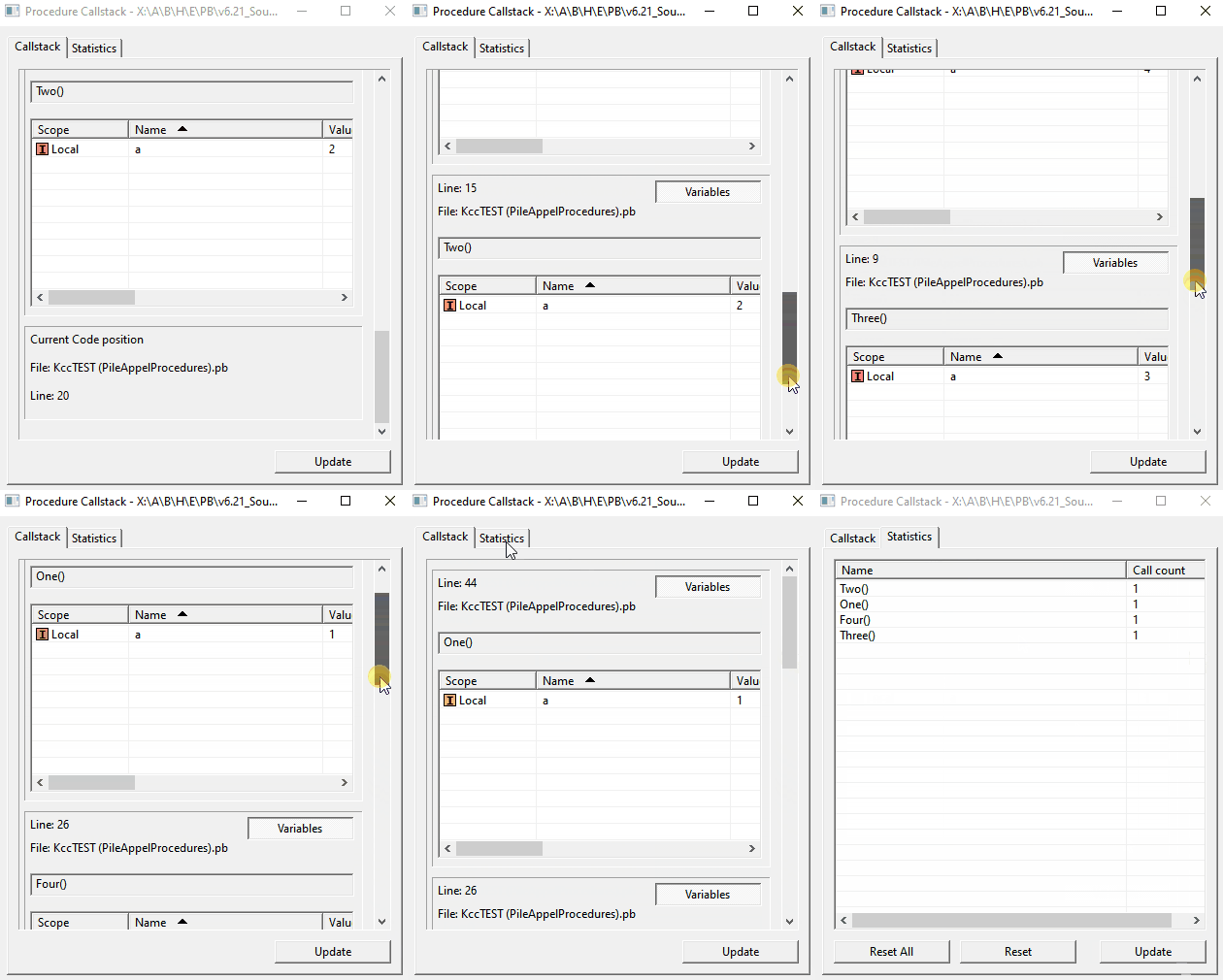
Put a breakpoint in your procedure and open the Debugger -> CallStack when you hit the breakpoint, you will have all the needed info (and no, it's not too much even for your brain :P).

Re: Order procedure called

Posted: Fri Feb 27, 2026 2:46 pm
by Kwai chang caine
Image

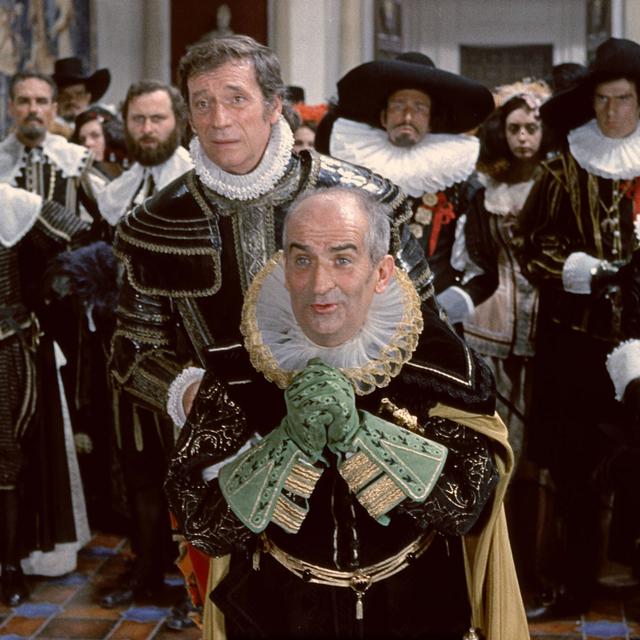
Like someone there are a certain time ago :mrgreen:
I hear voices :shock:

And like her...i say to me : "KCC you must to do imediately what the voices says !!!" :?
And MIRACLE...FRED the great

Image

French
https://fr.wikipedia.org/wiki/Fr%C3%A9d ... de_Prusse)
English
https://en.wikipedia.org/wiki/Frederick_the_Great

have thinking also at that :shock:
Before...I say to me (and the others :oops: ) it's a pity to have thinking to count the calls...and not to show it :(

Image

KCC would have done even better to turn his forked tongue seven times in his mouth, and his diseased brain a hundred times :twisted:

Image
The voices wrote:and no, it's not too much even for your brain
May the gods, your playmates, hear you :oops:


Image

CiBoucouTroDiLaHonorSupremeMaitre !!!
(English = That's too much of an honor coming from you. 8) )

Thanks a lot FRED for lost your very precious time for help me
Have a very very very good day 8)

And thanks again too at my MASTER friend IDLE 8)