
Hello,
I wrote a program with an OpenWindowedScreen window on a computer with a resolution of 1366 x 768 pixels and a
magnification factor of 100%.
I want this program to work on other computers with a different resolution and a different magnification factor, for example a computer with a resolution of 1920 x 1080 and a magnification factor of 125%.
I found on the forum a code allowing to change the resolution but I did not find a code allowing to modify the magnification factor.
Thank you for your help
Screen resolution and magnification factor

Re: Screen resolution and magnification factor
Code: Select all
Define hDC0 = GetWindowDC_(0)
Global scale.d = GetDeviceCaps_(hDC0, #LOGPIXELSY)/96
ReleaseDC_(0, hDC0)Re: Screen resolution and magnification factor
Hello Azjio,
Thank you for your answer, this code allows to know the magnification factor but I am looking for the code to modify the magnification factor.
I want to set the magnification factor to 1.00 (if it is 1.25, for example).
Thank you for your answer, this code allows to know the magnification factor but I am looking for the code to modify the magnification factor.
I want to set the magnification factor to 1.00 (if it is 1.25, for example).
Re: Screen resolution and magnification factor
May be this can help you....
Some explanation on the stuff and some C++ code for further investigations:
https://stackoverflow.com/questions/352 ... 6#62916586
Happy coding and stay healthy.
Some explanation on the stuff and some C++ code for further investigations:
https://stackoverflow.com/questions/352 ... 6#62916586
Happy coding and stay healthy.
Just because it worked doesn't mean it works.
PureBasic 6.04 (x86) and <latest stable version and current alpha/beta> (x64) on Windows 11 Home. Now started with Linux (VM: Ubuntu 22.04).
PureBasic 6.04 (x86) and <latest stable version and current alpha/beta> (x64) on Windows 11 Home. Now started with Linux (VM: Ubuntu 22.04).
Re: Screen resolution and magnification factor
1 Thank Axolotl
I looked at the code but I don't know the C language at all and I don't know how to translate it into Purebasic!!!
I looked at the code but I don't know the C language at all and I don't know how to translate it into Purebasic!!!
Re: Screen resolution and magnification factor
Well, there are several descriptions of registry and API solutions. Some of them are marked as "do not use".
But anyway, if you find out how you want so solve your problem. maybe I can help a little.
But anyway, if you find out how you want so solve your problem. maybe I can help a little.
Just because it worked doesn't mean it works.
PureBasic 6.04 (x86) and <latest stable version and current alpha/beta> (x64) on Windows 11 Home. Now started with Linux (VM: Ubuntu 22.04).
PureBasic 6.04 (x86) and <latest stable version and current alpha/beta> (x64) on Windows 11 Home. Now started with Linux (VM: Ubuntu 22.04).
Re: Screen resolution and magnification factor
Okay, I transpiled a C++ code into purebasic.
Please keep in mind, that the msdn says "Do not use." at the #SPI_SETLOGICALDPIOVERRIDE constant.
Please note that i have not really tested the code. I only made it compilable and executable.
Happy coding and stay healthy
Please keep in mind, that the msdn says "Do not use." at the #SPI_SETLOGICALDPIOVERRIDE constant.
Please note that i have not really tested the code. I only made it compilable and executable.
Code: Select all
; ### Usage is on your own risk. You are the only person responsible for any damage that occurs.

#SPI_GETLOGICALDPIOVERRIDE   =  $009E   ; 0x009E
#SPI_SETLOGICALDPIOVERRIDE   =  $009F   ; 0x009F  ; MSDN: Do not use.

Global Dim DpiVals.l(11)  ; 100,125,150,175,200,225,250,300,350, 400, 450, 500
  DpiVals(0) = 100 : DpiVals(1) = 125 : DpiVals(2)  = 150 : DpiVals(3)  = 175
  DpiVals(4) = 200 : DpiVals(5) = 225 : DpiVals(6)  = 250 : DpiVals(7)  = 300
  DpiVals(8) = 350 : DpiVals(9) = 400 : DpiVals(10) = 450 : DpiVals(11) = 500

; my little helper (make input more secure )
Procedure IsDpiValueValid(Value)
  Protected ii

  For ii = 0 To ArraySize(DpiVals()) - 1
    If Value = DpiVals(ii)   ;  Debug "" + ii + ". = " + DpiVals(ii)
      ProcedureReturn #True
    EndIf
  Next ii
  ProcedureReturn #False  ; not a valid value
EndProcedure

Procedure GetRecommendedDPIScaling()
  Protected currDPI, retval, dpi.l

  retval = SystemParametersInfo_(#SPI_GETLOGICALDPIOVERRIDE, 0, @dpi, 1)
  If (retval <> 0)
    currDPI = DpiVals(dpi * -1)
    ProcedureReturn currDPI
  EndIf
  ProcedureReturn -1
EndProcedure

Procedure SetDpiScaling(percentScaleToSet.i)
  Protected recommendedDpiScale
  Protected index, recIndex, setIndex, relativeIndex, scale

  recommendedDpiScale = GetRecommendedDPIScaling()
  If (recommendedDpiScale > 0)
    For index = 0 To ArraySize(DpiVals())  ; <==> For (const auto& scale : DpiVals)
      scale = DpiVals(index)
      If (recommendedDpiScale = scale)
        recIndex = index
      EndIf
      If (percentScaleToSet = scale)
        setIndex = index
      EndIf
      ; <==> index++;
    Next index

    relativeIndex = setIndex - recIndex
    SystemParametersInfo_(#SPI_SETLOGICALDPIOVERRIDE, relativeIndex, 0, 1)
  EndIf
EndProcedure

Procedure main()
  Protected nn, dpiToSet

  OpenConsole()
  Repeat  ; <==>   For (;;)
    PrintN("1. Show Recommended DPI")
    PrintN("2. Set DPI")
    PrintN("Anything else to exit")
    n = Val(Input())

    Select (n)
      Case 1
        PrintN("recommened scaling: " + GetRecommendedDPIScaling() + "%")
        Break
      Case 2
        PrintN("enter scaling to set in percentage")
        dpiToSet = Val(Input())
        If IsDpiValueValid(dpiToSet)
          SetDpiScaling(dpiToSet)
          Break
        Else
          PrintN("  wrong value " + dpiToSet + ", try again.")
        EndIf
      Default
        Break
    EndSelect
  ForEver
  PrintN("")
  PrintN("Press <ENTER> to exit.")
  Input()
  CloseConsole()

  ProcedureReturn 0
EndProcedure

End main()
Just because it worked doesn't mean it works.
PureBasic 6.04 (x86) and <latest stable version and current alpha/beta> (x64) on Windows 11 Home. Now started with Linux (VM: Ubuntu 22.04).
PureBasic 6.04 (x86) and <latest stable version and current alpha/beta> (x64) on Windows 11 Home. Now started with Linux (VM: Ubuntu 22.04).
Re: Screen resolution and magnification factor
1 Thank Axolotl
You are very good at programming.
I understood that it is not recommended to use it so how to do when you have a program with OpenWindowedScreen in which you have sprites, drawtext(), etc so that the display remains correct if you use the program on a computer with a magnification factor of 1.25 for example?
I will attach a game program I wrote, it's a game to catch fish (I'm French and I used Google to translate it to English, maybe it's not translated very well) .
If I put this game on another computer with a magnification factor of 1.25, the display is not correct.
I post the game with the link to download it in my next post in a few minutes.
You are very good at programming.
I understood that it is not recommended to use it so how to do when you have a program with OpenWindowedScreen in which you have sprites, drawtext(), etc so that the display remains correct if you use the program on a computer with a magnification factor of 1.25 for example?
I will attach a game program I wrote, it's a game to catch fish (I'm French and I used Google to translate it to English, maybe it's not translated very well) .
If I put this game on another computer with a magnification factor of 1.25, the display is not correct.
I post the game with the link to download it in my next post in a few minutes.
Re: Screen resolution and magnification factor
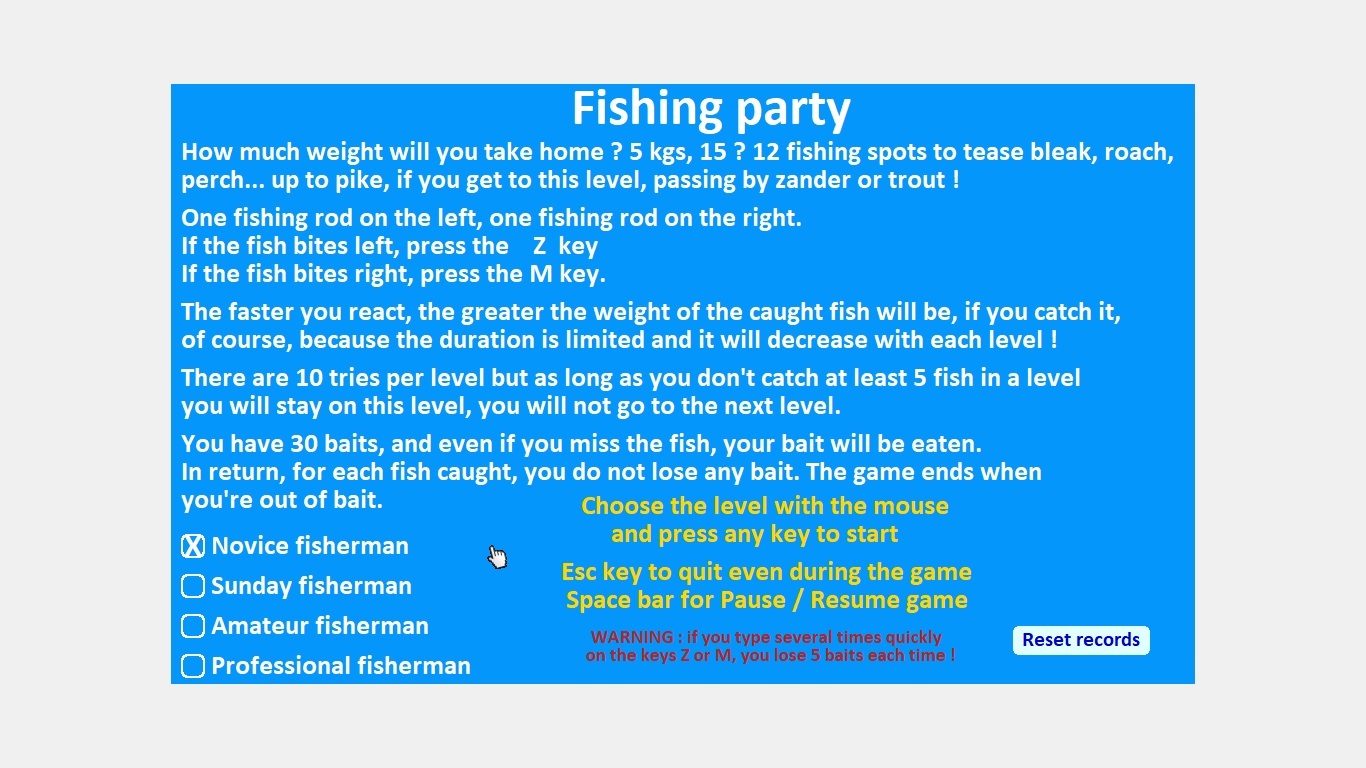
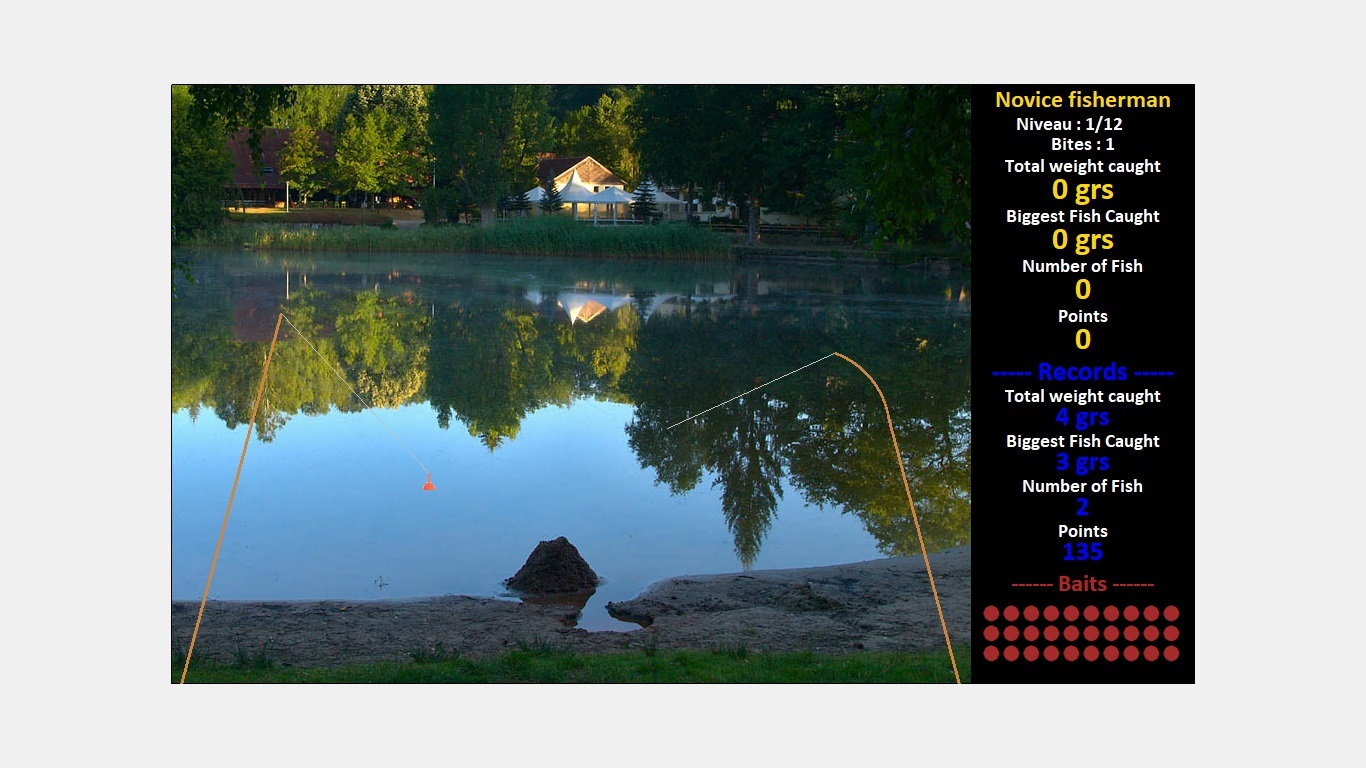
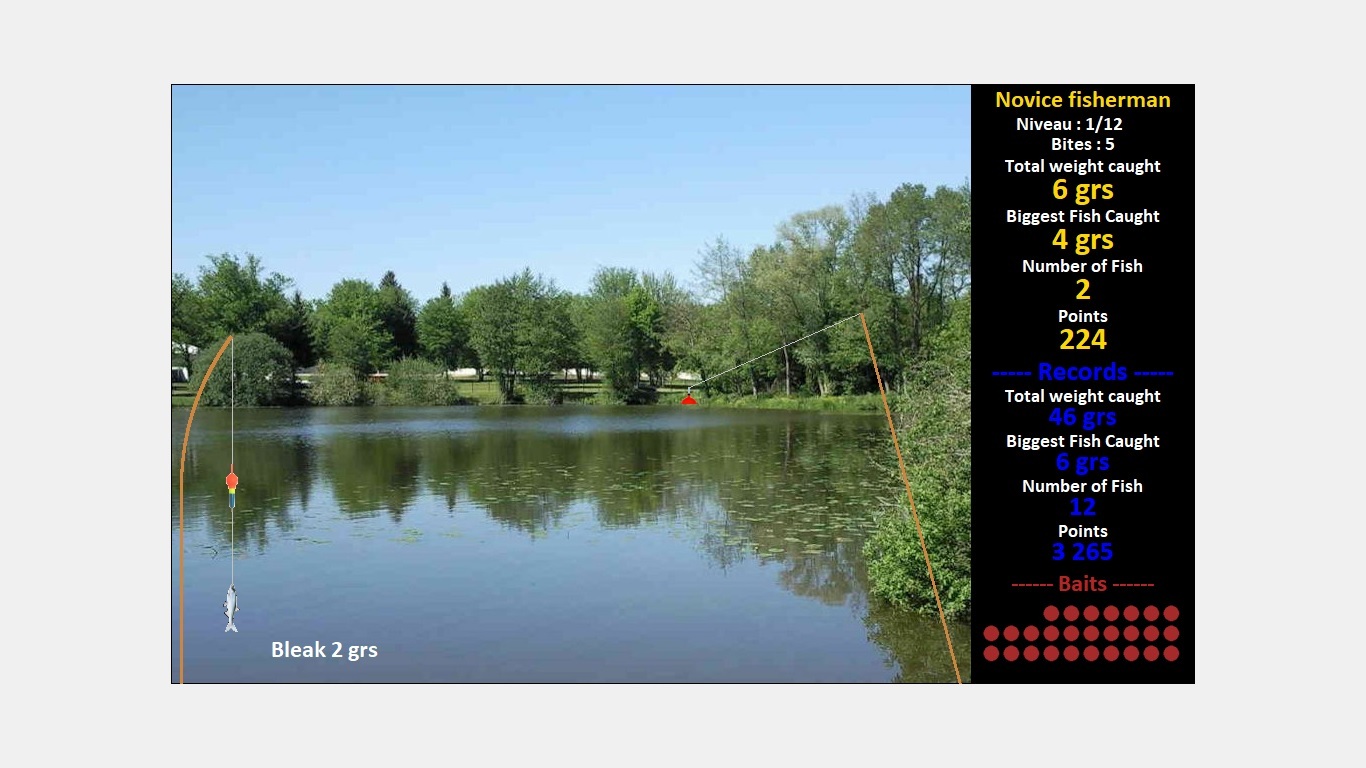
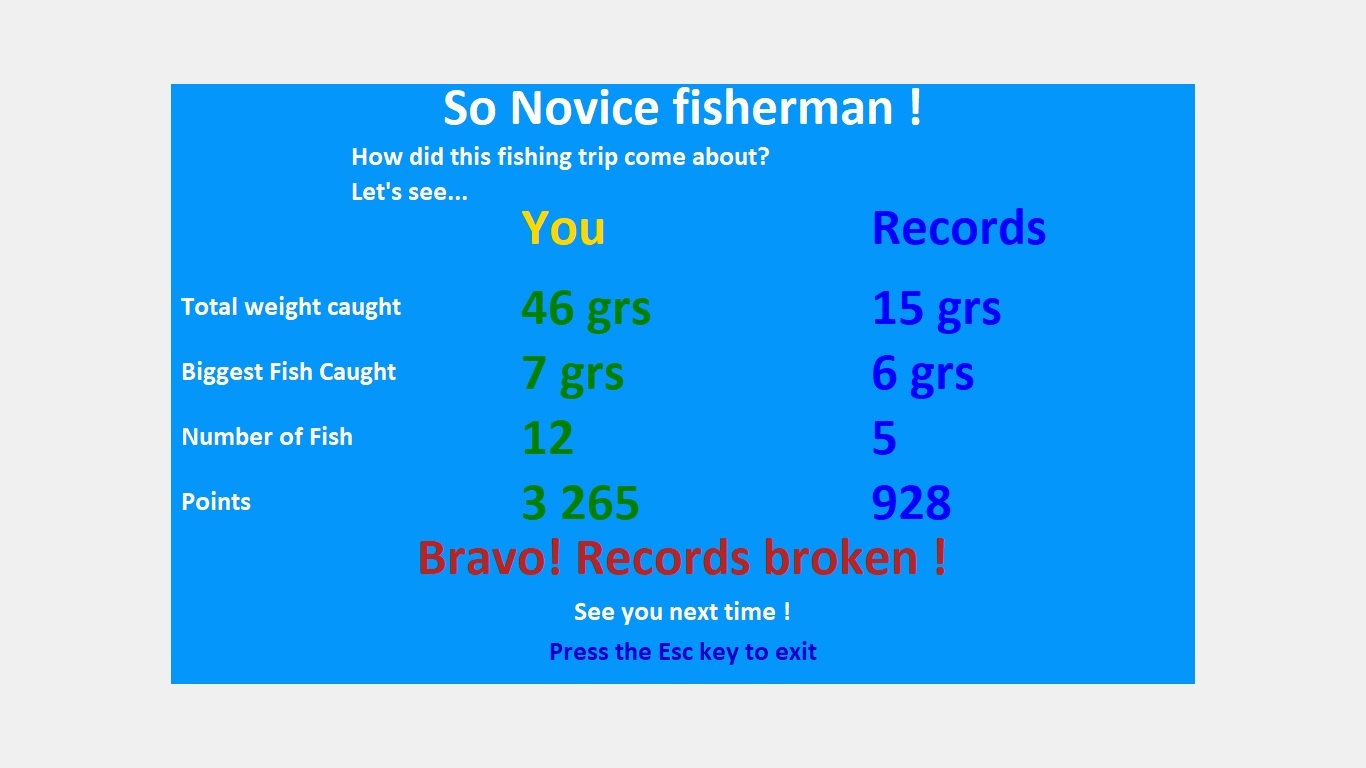
Here is my program, some photos and the link to download the complete program (source + executable).
Purebasic 5.73 64-bit release
The zipped file weighs less than 6MB
I wrote this program on a 1366 x 768 computer with no magnification factor.
On a computer of 1920 x 1080 with a magnification factor of 1.25, the display is not correct.
program link
https://u.pcloud.link/publink/show?code ... Coa0pUu4RV
Purebasic 5.73 64-bit release
The zipped file weighs less than 6MB
I wrote this program on a 1366 x 768 computer with no magnification factor.
On a computer of 1920 x 1080 with a magnification factor of 1.25, the display is not correct.
program link
https://u.pcloud.link/publink/show?code ... Coa0pUu4RV
Re: Screen resolution and magnification factor
You can calculate the maximum sides of a rectangle that does not violate the aspect ratio of the game screen. Next, you get a scaling factor to multiply all coordinates by this factor. Since you are entering a scaling factor, you only need to add the factor associated with the system scaling parameter. You multiply two coefficients and get the total coefficient for all coordinates. That is, you don’t even lose anything, you just change the coefficient and that’s it.
Earlier in the "Launcher" program, I also encountered this when drawing lines around the buttons and for the background image. I just added a scaling factor and the lines were drawn correctly.
Earlier in the "Launcher" program, I also encountered this when drawing lines around the buttons and for the background image. I just added a scaling factor and the lines were drawn correctly.
Re: Screen resolution and magnification factor
Thank you Azjio,
I thought of this :
1) I get the magnification factor by and I adjust the windows window the new values
2) I add parameter #True,0,0 in OpenWindowedScreen
3) I divided the fonts size by "ScaleL"
4) I compile by checking "Enable DPI aware executable (Windows)" in the compiler options
And it works...
I thought of this :
1) I get the magnification factor by and I adjust the windows window the new values
Code: Select all
largeur_bureau=DesktopWidth(0)
hauteur_bureau=DesktopHeight(0)

ScaleL=DesktopScaledX(100)/100
ScaleH=DesktopScaledY(100)/100

LargeurBureauScale=largeur_bureau/ScaleL
HauteurBureauScale=hauteur_bureau/ScaleH

If OpenWindow(#fenetre_principale,0,0,LargeurBureauScale,HauteurBureauScale,
              "Fishing party - Jacques Joly - July 2022",
              #PB_Window_ScreenCentered|#PB_Window_BorderLess)=0
  MessageRequester("Error", "Unable to open main window")
  End
EndIfCode: Select all
If OpenWindowedScreen(WindowID(#fenetre_principale),
                      (largeur_bureau-#largeur_ecran_jeu)/2,
                      (hauteur_bureau-#hauteur_ecran_jeu)/2,
                      #largeur_ecran_jeu,
                      #hauteur_ecran_jeu,
                      #True,0,0)=0
  MessageRequester("Error", "Unable to open game window")
  End
EndIfCode: Select all
police_texte_bandeau_haut=LoadFont(0, "Calibri", 14/ScaleL,#PB_Font_Bold)
police_titre_debut_partie=LoadFont(1, "Calibri", 40/ScaleL,#PB_Font_Bold)
police_texte_debut_partie=LoadFont(2, "Calibri", 20/ScaleL,#PB_Font_Bold)
policePause=LoadFont(3, "Calibri", 64/ScaleL,#PB_Font_Bold)
Police14=LoadFont(4, "Calibri", 14/ScaleL,#PB_Font_Bold)
Police18=LoadFont(5, "Calibri", 18/ScaleL,#PB_Font_Bold)
Police24=LoadFont(6, "Calibri", 24/ScaleL,#PB_Font_Bold)And it works...