Hi minimy,
I tested the example from the PB documentation, which is less complex than yours, with several types of GIFs and they all display correctly; the window adapts to the size of the GIF used. :)
; Enable the GIF decoder
UseGIFImageDecoder()
Filename$ = Path$+"\giphy.gif" ; Indicate the ...
Search found 147 matches
- Fri Jan 16, 2026 10:32 am
- Forum: Tricks 'n' Tips
- Topic: Gif animated in canvas
- Replies: 7
- Views: 667
- Thu Jan 15, 2026 6:20 pm
- Forum: Tricks 'n' Tips
- Topic: Creating gadgets with CanvasGadget() + VectorDrawing
- Replies: 7
- Views: 635
Re: Creating gadgets with CanvasGadget() + VectorDrawing
I was able to explore the possibilities of folding and prepare an example of multiple uses of the GradientExpanderBar() function, and as a bonus, the creation of a toggle button. I know it's a bit of a throwback to Windows XP, but I like this style. I think it looks good.
https://wolforan.com ...
https://wolforan.com ...
- Wed Jan 14, 2026 11:37 pm
- Forum: Tricks 'n' Tips
- Topic: Creating gadgets with CanvasGadget() + VectorDrawing
- Replies: 7
- Views: 635
Re: Creating gadgets with CanvasGadget() + VectorDrawing
Thank you both, I've modified the code accordingly in the first post. 
Sometimes the obvious is staring us in the face...
Sometimes the obvious is staring us in the face...
- Wed Jan 14, 2026 4:01 pm
- Forum: Tricks 'n' Tips
- Topic: Creating gadgets with CanvasGadget() + VectorDrawing
- Replies: 7
- Views: 635
Re: Creating gadgets with CanvasGadget() + VectorDrawing
Hello André, thank you.
Following feedback from users whose text display wasn't perfectly aligned on the Canvas, I modified the responsible parameters in the procedures: VectorFont() and the positioning defined in MovePathCursor().

Following feedback from users whose text display wasn't perfectly aligned on the Canvas, I modified the responsible parameters in the procedures: VectorFont() and the positioning defined in MovePathCursor().
- Mon Jan 12, 2026 10:08 am
- Forum: Tricks 'n' Tips
- Topic: Creating gadgets with CanvasGadget() + VectorDrawing
- Replies: 7
- Views: 635
Creating gadgets with CanvasGadget() + VectorDrawing
Hello everyone,
I propose a simple way To create gadgets using CanvasGadget() As a base And VectorDrawing functions To achieve a nice result. It's a simple way to create an eye-catching and user-friendly application interface.
You can easily modify the created functions To suit your needs And even ...
I propose a simple way To create gadgets using CanvasGadget() As a base And VectorDrawing functions To achieve a nice result. It's a simple way to create an eye-catching and user-friendly application interface.
You can easily modify the created functions To suit your needs And even ...
- Tue Jan 06, 2026 8:11 am
- Forum: Off Topic
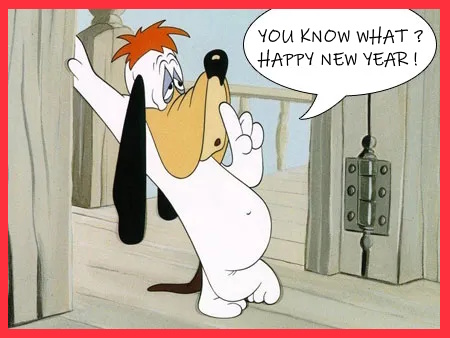
- Topic: HAPPY NEW YEAR!!
- Replies: 21
- Views: 1382
- Tue Dec 02, 2025 11:26 am
- Forum: Applications - Feedback and Discussion
- Topic: Xmas Scene Designer
- Replies: 4
- Views: 930
Re: Xmas Scene Designer
Hello _aNdy_, another great example of a fun program.
I do have a question about the images: are they all yours? Or are they royalty-free? What usage rights are granted for the software's images and those created with the software?
I do have a question about the images: are they all yours? Or are they royalty-free? What usage rights are granted for the software's images and those created with the software?
- Thu Nov 20, 2025 8:51 am
- Forum: Applications - Feedback and Discussion
- Topic: Xmas Tree Designer
- Replies: 7
- Views: 1658
Re: Xmas Tree Designer
The simplest things are sometimes the best. I find the idea and the software very appealing; a great project for young children. 8)
Add a few more options, such as glitter garlands, electric lights, snowmen, and other decorative elements, and it will be even more fun.
Out of curiosity, I tried your ...
Add a few more options, such as glitter garlands, electric lights, snowmen, and other decorative elements, and it will be even more fun.
Out of curiosity, I tried your ...
- Fri Oct 10, 2025 2:44 pm
- Forum: Tricks 'n' Tips
- Topic: Personalized information panel
- Replies: 11
- Views: 2100
Re: Personalized information panel
Hello,
I've added a small option that allows you to move the panel/window with the mouse cursor positioned over the transparent edge and holding down the left mouse button.
The center panel automatically moves back to the center, which creates a nice effect...
Code updated in the first post.
I've added a small option that allows you to move the panel/window with the mouse cursor positioned over the transparent edge and holding down the left mouse button.
The center panel automatically moves back to the center, which creates a nice effect...
Code updated in the first post.
- Wed Oct 08, 2025 3:05 pm
- Forum: Coding Questions
- Topic: Strange behavior of Editor with the WordWrap flag
- Replies: 11
- Views: 1520
Re: Strange behavior of Editor with the WordWrap flag
In this way, simply, it can't allow you to do what you want?
If OpenWindow(0, 0, 0, 322, 150, "Editor", #PB_Window_SystemMenu | #PB_Window_ScreenCentered)
EditorGadget(1, 8, 8, 306, 133, #PB_Editor_WordWrap)
For a = 0 To 10 Step 2
Debug Str(a)
AddGadgetItem(1, a ...
If OpenWindow(0, 0, 0, 322, 150, "Editor", #PB_Window_SystemMenu | #PB_Window_ScreenCentered)
EditorGadget(1, 8, 8, 306, 133, #PB_Editor_WordWrap)
For a = 0 To 10 Step 2
Debug Str(a)
AddGadgetItem(1, a ...
- Wed Oct 08, 2025 9:53 am
- Forum: Coding Questions
- Topic: Strange behavior of Editor with the WordWrap flag
- Replies: 11
- Views: 1520
Re: Strange behavior of Editor with the WordWrap flag
Hello, Try with this version of the API. This works with PB 6.30B3
If OpenWindow(0, 0, 0, 322, 150, "Editor", #PB_Window_SystemMenu | #PB_Window_ScreenCentered)
EditorGadget(0, 8, 8, 306, 133,#PB_Editor_WordWrap)
SendMessage_(GadgetID(0), #EM_SETTARGETDEVICE, 0, Flag | 1)
For a = 0 To 5 ...
If OpenWindow(0, 0, 0, 322, 150, "Editor", #PB_Window_SystemMenu | #PB_Window_ScreenCentered)
EditorGadget(0, 8, 8, 306, 133,#PB_Editor_WordWrap)
SendMessage_(GadgetID(0), #EM_SETTARGETDEVICE, 0, Flag | 1)
For a = 0 To 5 ...
- Fri Oct 03, 2025 3:48 pm
- Forum: Tricks 'n' Tips
- Topic: Personalized information panel
- Replies: 11
- Views: 2100
Re: Personalized information panel
I also prefer percentages; it's easier to understand, but I also like having a choice, which is why I think it's good to offer two options. Depending on each person's taste.
I didn't use .l, Everything is in interger and it works in 64-bit.
Good point about the hardcoded value in the procedure; it ...
I didn't use .l, Everything is in interger and it works in 64-bit.
Good point about the hardcoded value in the procedure; it ...
- Wed Oct 01, 2025 6:20 pm
- Forum: Tricks 'n' Tips
- Topic: Personalized information panel
- Replies: 11
- Views: 2100
Re: Personalized information panel
Yes indeed, old code in my archives but still functional. Thank you for your updated code, but your calculation changes the perception of transparency because it is based on the percentage. So this leaves us two possibilities to obtain transparency. We must adapt the value of "Visibility"
I modified ...
I modified ...
- Mon Sep 29, 2025 5:35 pm
- Forum: Tricks 'n' Tips
- Topic: Personalized information panel
- Replies: 11
- Views: 2100
Re: Personalized information panel
Added a second timer to display a countdown before the panel closes in case the user prefers automatic closing rather than a button, and also to know how long the panel will be displayed.
Code updated in the first post.
Code updated in the first post.
- Mon Sep 29, 2025 1:38 pm
- Forum: Tricks 'n' Tips
- Topic: Personalized information panel
- Replies: 11
- Views: 2100
Re: Personalized information panel
Hey, salut Denis!
Glad to know you're still active in the PB world.
Just a little tool for more fun and personal displays.
Glad to know you're still active in the PB world.
Just a little tool for more fun and personal displays.